Reference — lookup information.
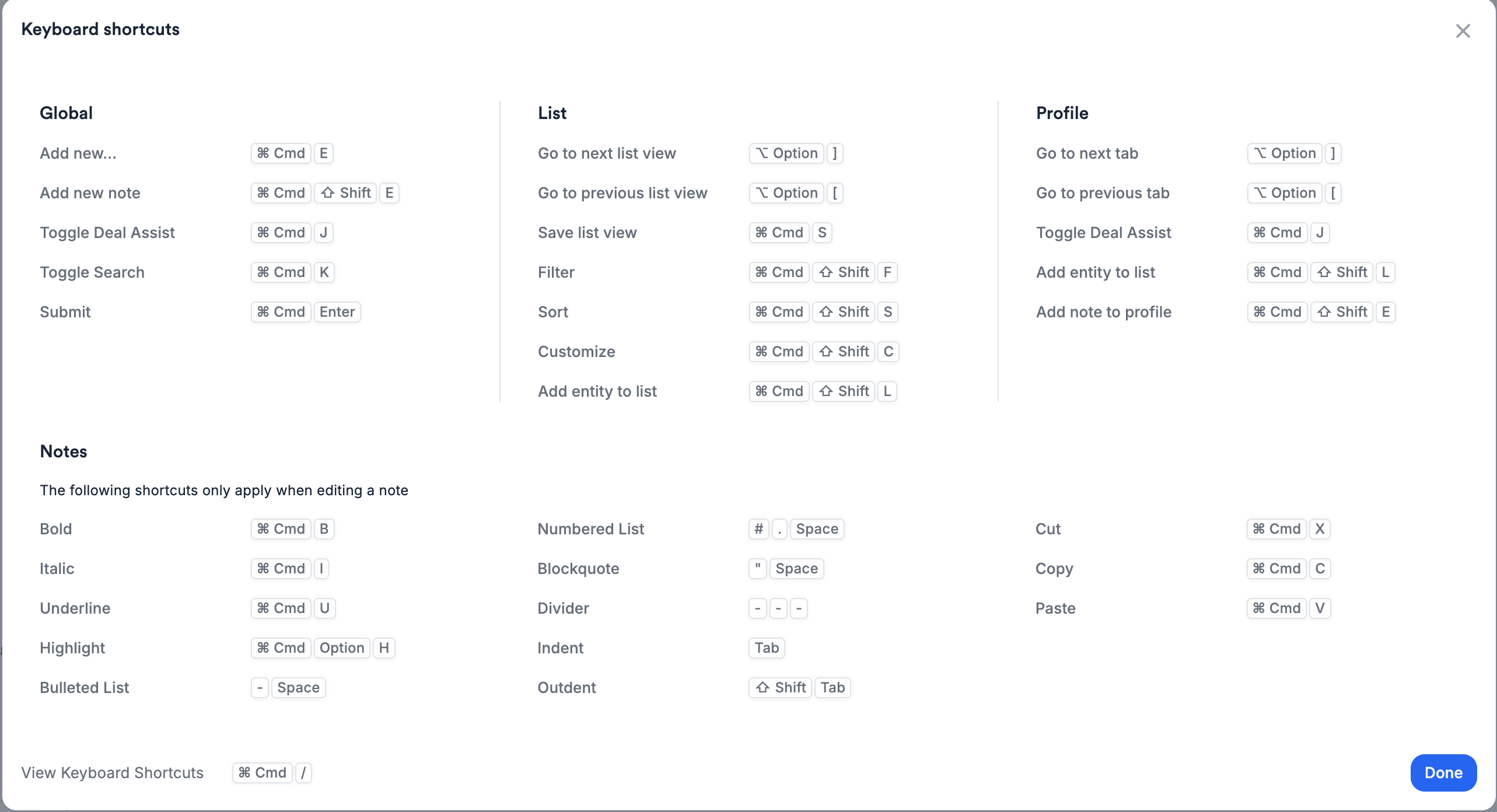
Make bulk edits on lists, take quick actions, and increase productivity using Affinity’s keyboard shortcuts. Note: Affinity’s keyboard shortcuts are currently supported for US/English keyboard layouts.

How to access the Keyboard Shortcuts modal

  1. Click the dropdown arrow next to your name on the top-left corner, then click Keyboard Shortcuts.
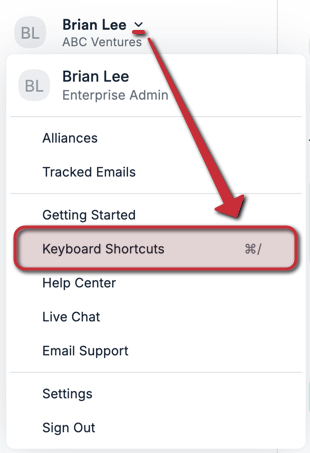
  1. You can also press Cmd + / on Mac keyboards or Ctrl + / on Windows keyboards to access the Keyboard Shortcuts modal immediately.

Shortcuts for Global Actions

ActionMacOSWindows
Access Keyboard Shortcuts modalCmd + /Ctrl + /
Add new …Cmd + ECtrl + E
Add New NoteCmd + Shift + ECtrl + Shift + E
Toggle Deal AssistCmd + JCtrl + J
Toggle SearchCmd + KAlt + K
Submit FormCmd + EnterCtrl + Enter

Shortcuts for Lists

ActionMacOSWindows
Go to next list viewOption + ]Alt + ]
Go to previous list viewOption + [Alt + [
Save list viewCmd + SCtrl + S
Toggle FilterCmd + Shift + FCtrl + Shift + F
SortCmd + Shift + SCtrl + Shift + S
CustomizeCmd + Shift + CCtrl + Shift + C
Add entity to ListCmd + Shift + LCtrl + Shift + L
For Bulk-select list entries: Click checkbox for first list entry, then Shift + Click checkbox for last list entry. For Highlight multiple cells in one column (one cell at a time): Click on one cell, then Shift + Press Up/Down arrow keys. For Highlight all cells in one column (all at once): Click on one cell, then press Cmd + Shift + Press Up/Down arrow keys (Mac) or Ctrl + Shift + Press Up/Down arrow keys (Windows). Copy and paste values: Cmd/Ctrl + C to copy, Cmd/Ctrl + V to paste.

Shortcuts for Profiles

ActionMacOSWindows
Go to next tabOption + ]Alt + ]
Go to previous tabOption + [Alt + [
Toggle Deal AssistCmd + JCtrl + J
Add Entity to ListCmd + Shift + LCtrl + Shift + L
Add Note to ProfileCmd + Shift + ECtrl + Shift + E

Shortcuts for Notes

ActionMacOSWindows
BoldCmd + BCtrl + B
ItalicCmd + ICtrl + I
UnderlineCmd + LCtrl + L
HighlightCmd + Option + HCtrl + Alt + H
Bulleted List- + space- + space
Numbered List# + space# + space
Blockquote” + space” + space
Divider------
Indent[Tab][Tab]
OutdentShift + TabShift + Tab
CutCmd + XCtrl + X
CopyCmd + CCtrl + C
PasteCmd + PCtrl + P