

How-to — task-oriented recipe.
- Admins at the organization level (see Account Level Permissions).
- List Admins and the List Owner for the specific list (see List Level Permissions).
How to delete columns
- Click the dropdown arrow next to the column you wish to delete.
- Choose Delete [column name] from the drop-down menu.
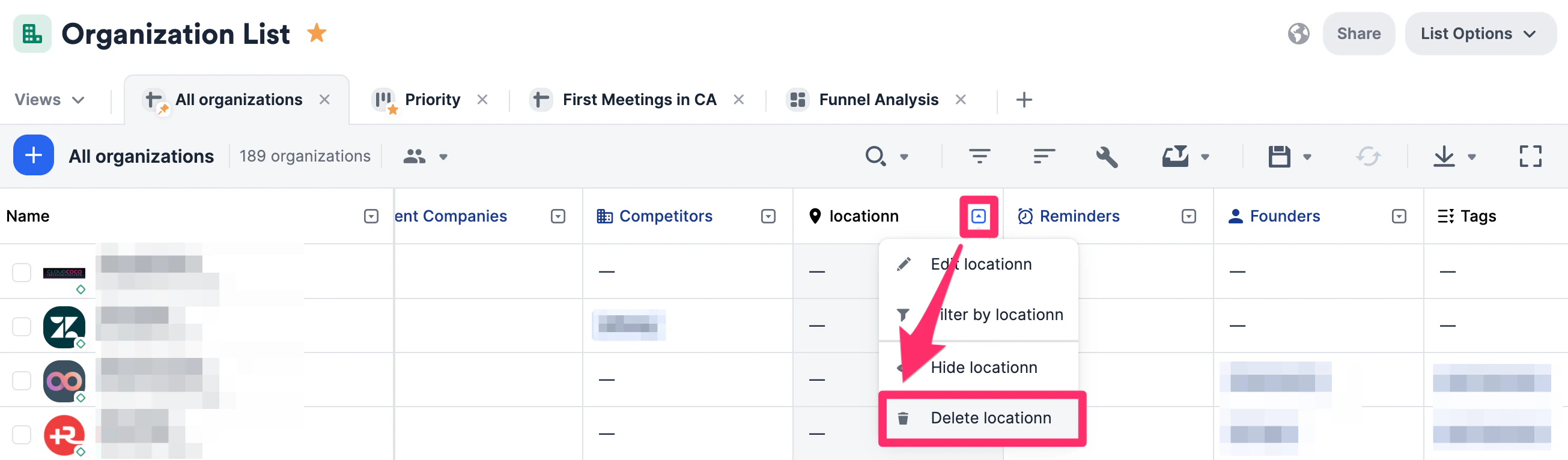
- If you do not see the option to delete a column, it is most likely because it is a default column provided by Affinity. Here are just a few default columns that are highly suggested for use in your lists:
- Owners - Which of your members is the point of contact.
- Amount - Tracking an investment/deal amount.
- Status - Tracking which stage of the pipeline your deal is in.