Reference — lookup information.
Entity
There are three objects that are accessible in configuring the Slack/Microsoft Teams message: Person, Organization, and Opportunity. It is critical that you understand which type of entity the integration is enabled for.Person
Here are the valid expressions for a Person entity:{entity.first_name}{entity.last_name}{entity.primary_email}
Organization
Here are the valid expressions for an Organization entity:{entity.name}{entity.domain}- Wrapping the above with <> appended with
https://will create a clickable link in Slack (not available in Microsoft Teams):<https://{entity.domain}><https://{entity.domain}|{entity.name}><https://{entity.domain}|Custom Text Here>
- Wrapping the above with <> appended with
Opportunity
Here are the valid expressions for an Opportunity entity:{entity.name}Note: Affinity Data fields and enriched fields are not accessible for custom message formatting for opportunities.
Entity Associations
These are the people/organizations associated with an entity (opportunity, organization, person).- For a people list, you can access the organizations associated with that person using
{entity.organization_names}. - For an organization list, you can access the people associated with that organization using
{entity.person_names}. - For an opportunity list, you can access both the associated organizations and people using
{entity.organization_names}and{entity.person_names}, respectively.- For both of those associations, the output will be a comma-separated list of the names of the organizations and people (see example below):
{entity.organization_names} => Stripe, Dropbox, Affinity{entity.person_names} => Mimi Lee, Calvin Lee
- For both of those associations, the output will be a comma-separated list of the names of the organizations and people (see example below):
Fields
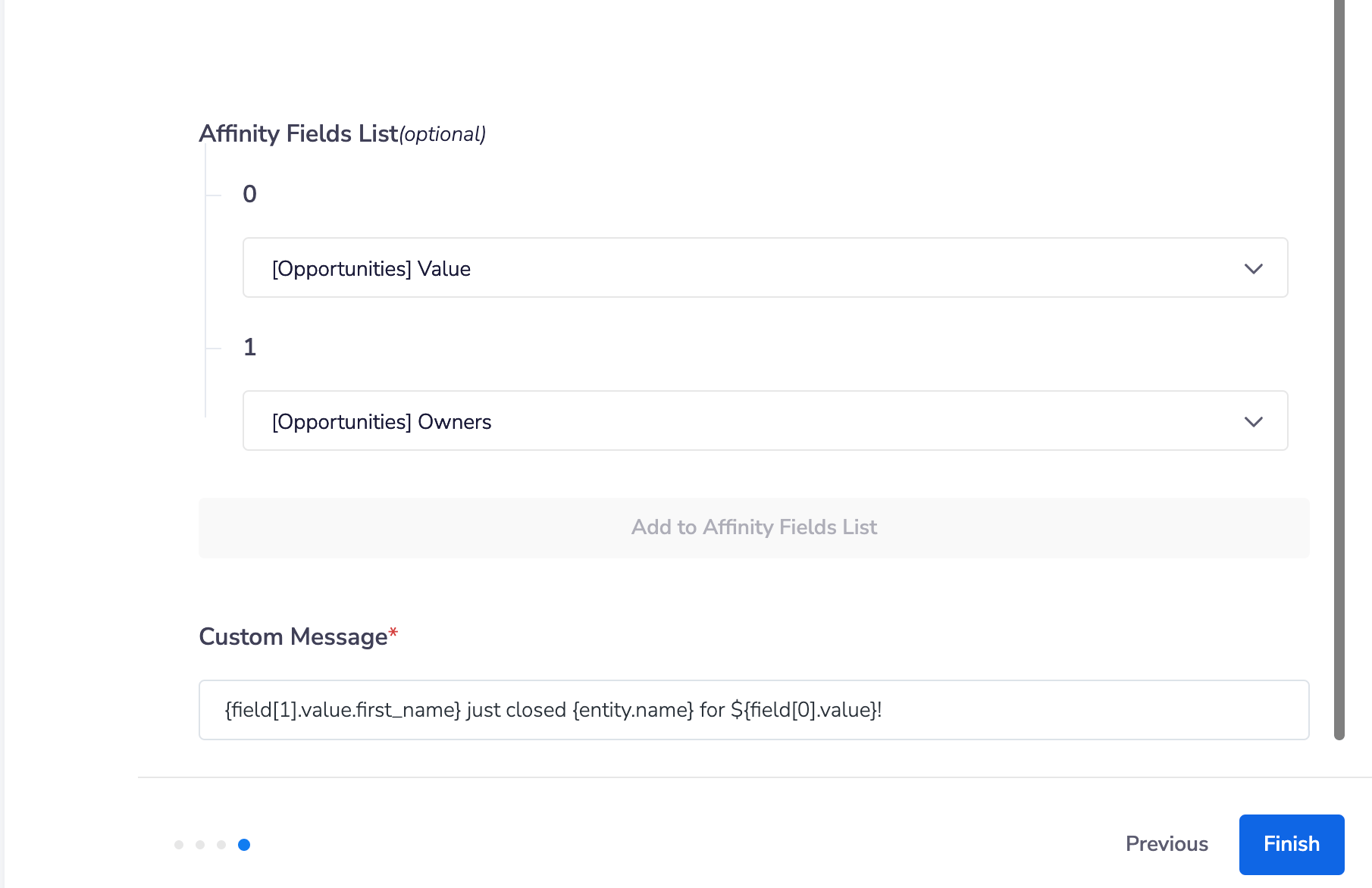
These are the fields you can change to trigger a response or fields you would like to have populated in a message. Think of these as columns in your list. You can reference the fields by the Index, in the same order as your input in the list in the previous step.- For example, if you added
[12345, 678910]…- You can reference the field
12345byfield[0] - You can reference the field
678910byfield[1]It’s also important to double-check the field value Type as it changes the way you can access the actual value. See below on how to access the value of each field by type:
- You can reference the field
Text Formatting
Please note that not all formatting is compatible with Microsoft Teams and Slack.- Replace the “subdomain” portion here with your actual Affinity subdomain. If you see “https://companyxyz.affinity.co/dashboard” on your web browser, then “companyxyz” is the subdomain.
Example
Sheet View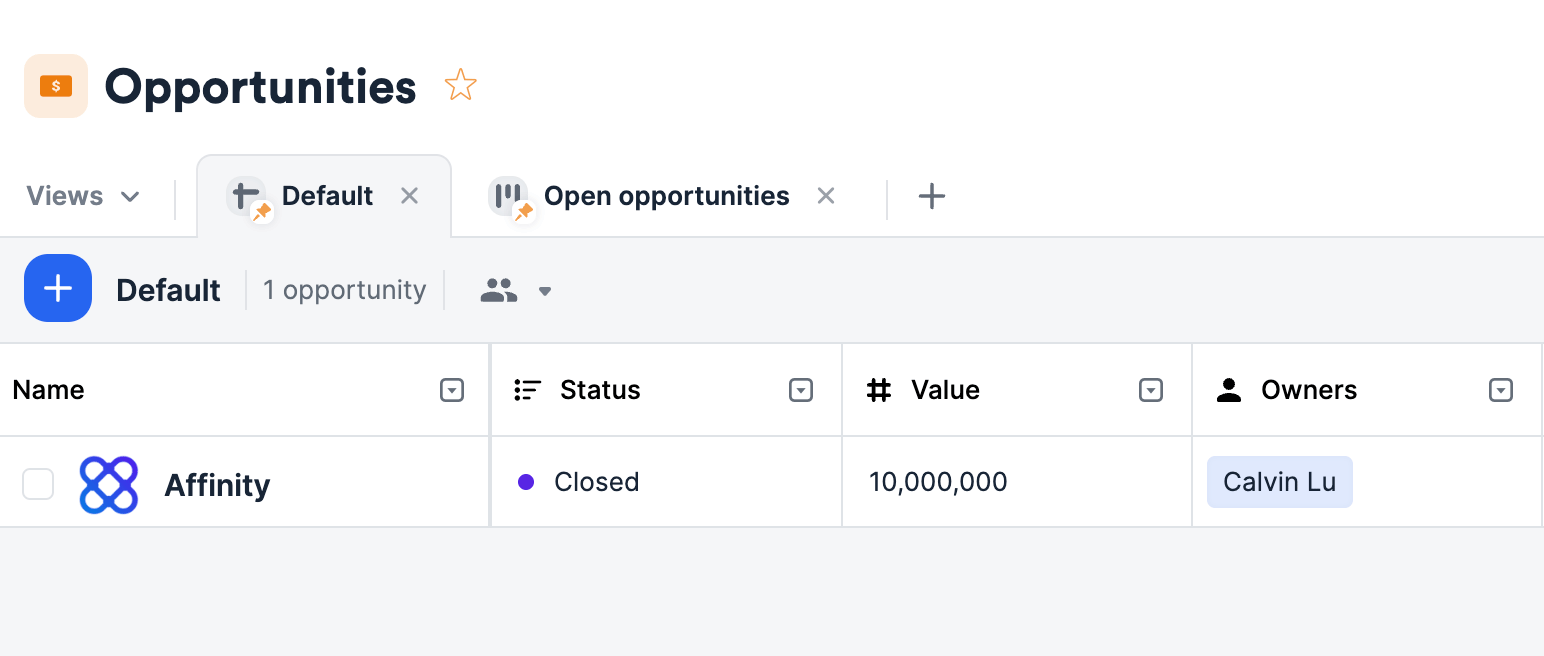
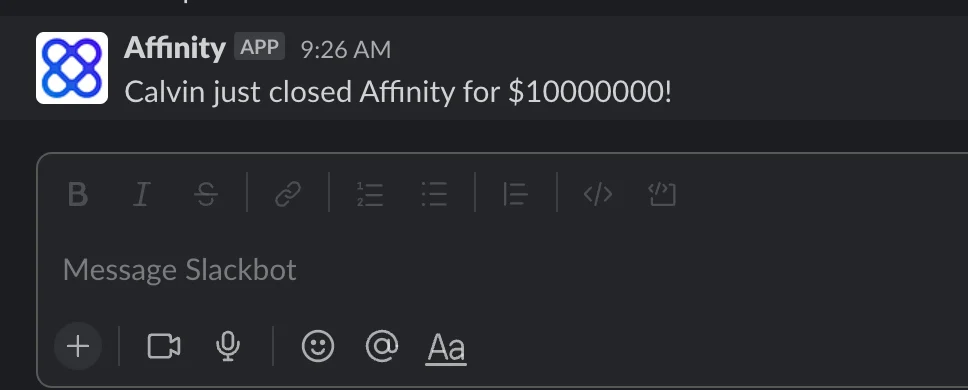
{field[1].value.first_name} just closed {entity.name} for ${field[0].value}!