

What is AI Chat?
AI Chat is a conversational interface to your Affinity CRM. Ask questions in natural language instead of building filters or clicking through profiles — and, with your approval, let Affinity AI make confirm-before-execute changes for you. It’s well suited to meeting prep, pipeline queries, and finding companies by investment criteria. Affinity AI grounds its answers in your CRM data and shows its work: a short thinking state while it looks things up, then a brief “sources used” line so you can see where an answer came from. When it proposes a change, it’s clearly labeled as a suggestion until you approve it. Available for: Scale, Advanced, and Enterprise customers.What AI Chat can do
Two broad things: it answers questions about your data, and it can take confirm-before-execute actions when you ask.Answer questions (read)
- Meeting preparation — “Help me prepare for my meeting with [Company]” pulls notes, relationship history, activity, and recent news. For a full pre-meeting brief, click Generate Brief on the meeting in Meetings.
- Find companies by criteria — by industry, investor, firm interactions, relationship strength, or technology theme (e.g. “Healthcare companies in our network,” “Companies backed by Sequoia,” “Companies we haven’t contacted in 90 days”).
- Deal assist / company queries — “Tell me about the founders,” “What are the risks of investing here?” — company overviews from CRM data plus enrichment.
- Search your notes and files — find what’s in meeting notes, pitch decks and other files across your whole CRM, including notes and files on opportunities and people, not just one profile (e.g. “Have we talked to any companies about carbon recapture?”, “Do any of our files on Acme mention their GRR?”).
Take action — with your approval
Affinity AI can propose confirm-before-execute changes. Nothing is written until you approve.- Update a field — change a field value or move a deal’s pipeline stage.
- Add to a list — add a record to one of your lists, or add several companies or people in one step.
- Create a note — draft and log a note on a record.
- Create a reminder — set a follow-up reminder.
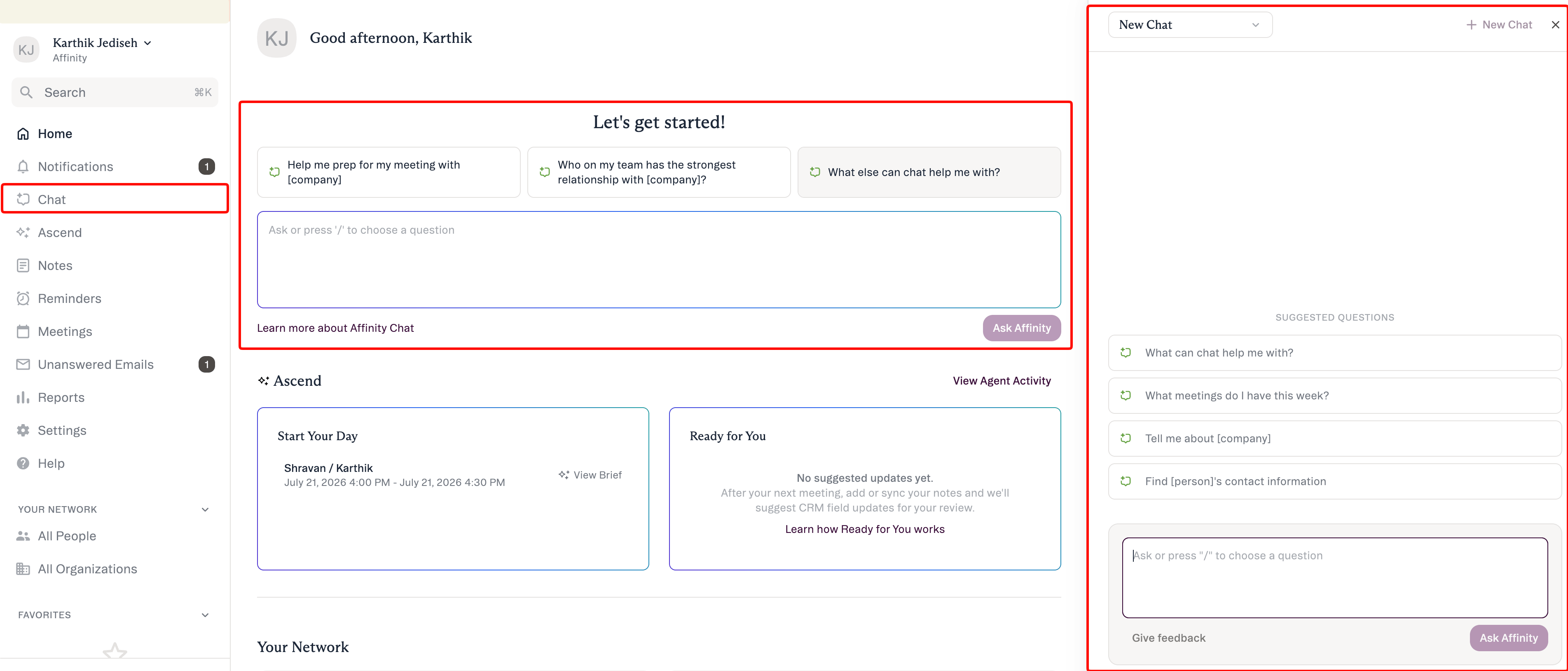
Where to find it
How to stay in control
- Suggests, you approve. Nothing is written to your CRM until you approve it.
- It only sees what you can. Affinity AI works within your own account’s permissions.
- No silent outreach. It doesn’t send email or other outreach on its own.
- Labeled work. Each response distinguishes suggested steps from completed ones and cites its sources.
Honest limits
- ~90-day activity-history window — very long-range “first ever interaction” questions can be truncated.
- People search is by name or email — not by role/title, location, or expertise.
- No location/geographic filtering.
- No reliable historical field-value lookup — it reports a field’s value now, not what it was at some past point.
- Web app only (not on mobile).
Getting access
- Plans: Scale, Advanced, and Enterprise.
- Turn-on: admins enable or disable AI features for the org at Settings → Automations & AI → Affinity AI; if AI Chat isn’t available to you, check with your admin.
Common questions
Will Affinity AI change things in my CRM on its own? No. It suggests; nothing is written until you approve. The confirmed actions are updating a field or pipeline stage, adding to a list, creating a note, and creating a reminder. Who can see what I ask, and what data does it use? Affinity AI works within your own permissions — it only surfaces and changes data you already have access to. Can it send emails or delete records? No. AI Chat can’t send email or outreach, or merge or delete records, and apart from adding several records to a list at once, it doesn’t make bulk changes. To delete or merge records with an AI assistant, use Affinity MCP, which shows you what each delete or merge will affect and waits for your explicit confirmation.Affinity AI can make mistakes. Review each suggestion before approving it.