How-to — task-oriented recipe.
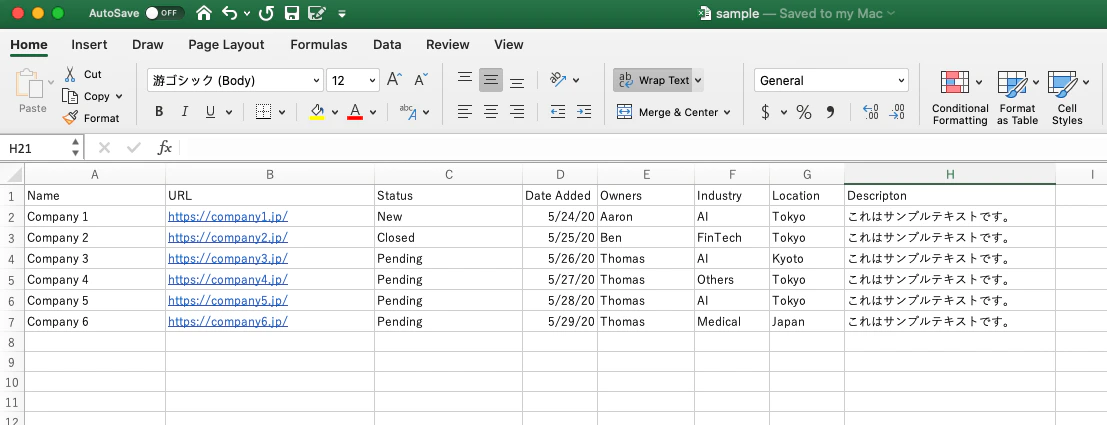
- View this sample of what clean data should look like in your CSV file.
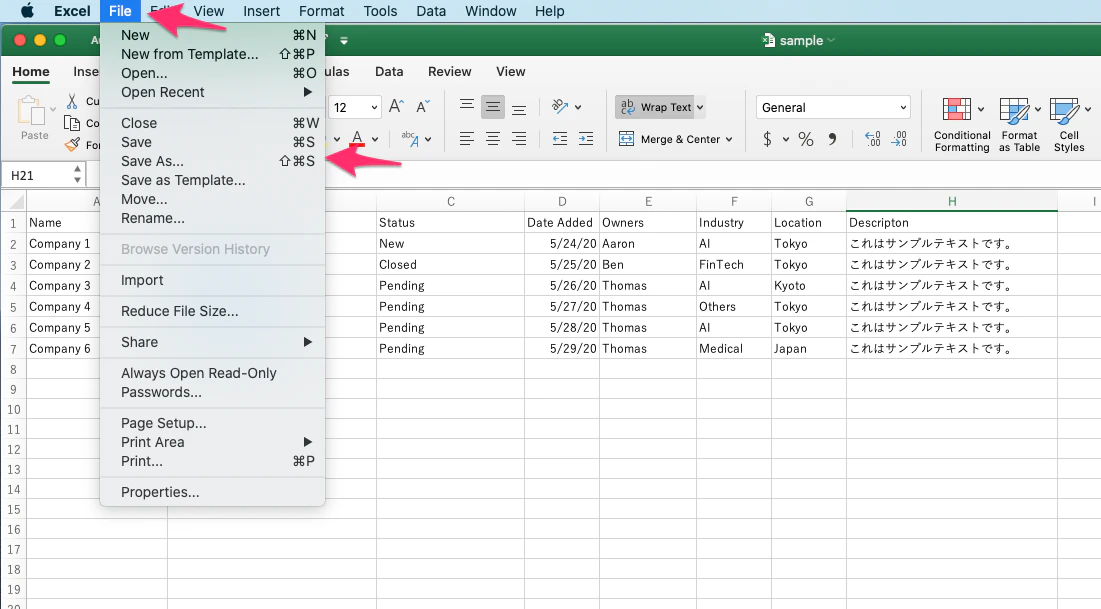
- Click File, then click Save As.
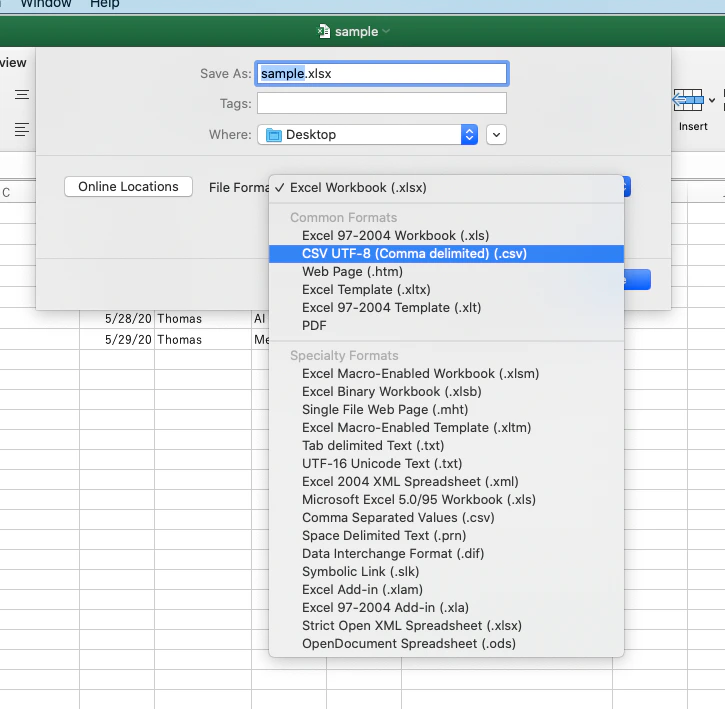
- Save your file as CSV UTF-8.
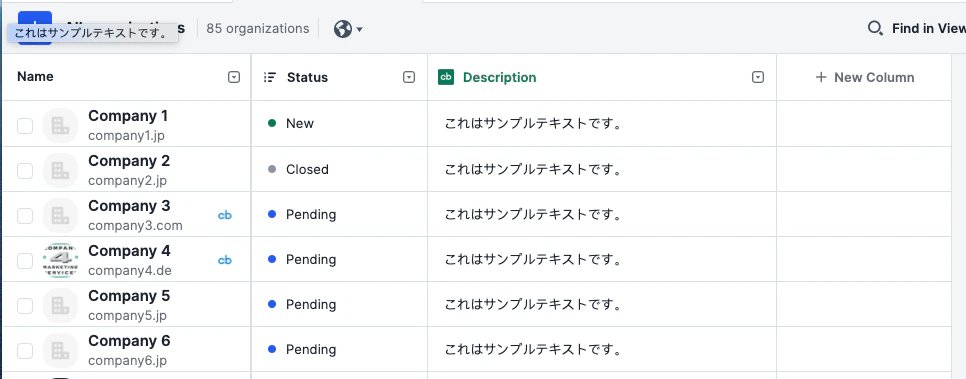
- Now, import the CSV file. This is what your Affinity list would look like from a successful import.