How-to — task-oriented recipe.
Adding an organization to an organization list using API V1
In this example, we will add Affinity (affinity.co) to our “Deals” list using the API. The list_id is “9011” and the status option will be defaulted to “Identified.”- First, search if the organization exists in your Affinity account.
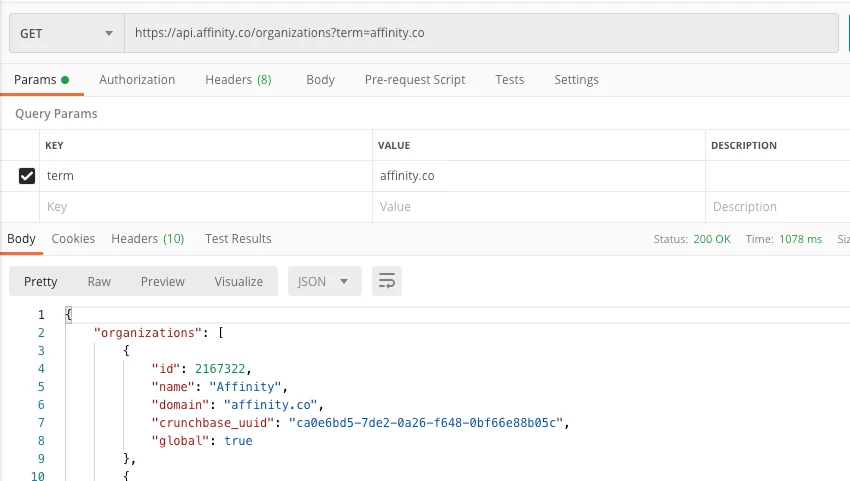
- Seeing that this organization is in our Affinity account, we’ll make another search to see if it’s already added to any list.
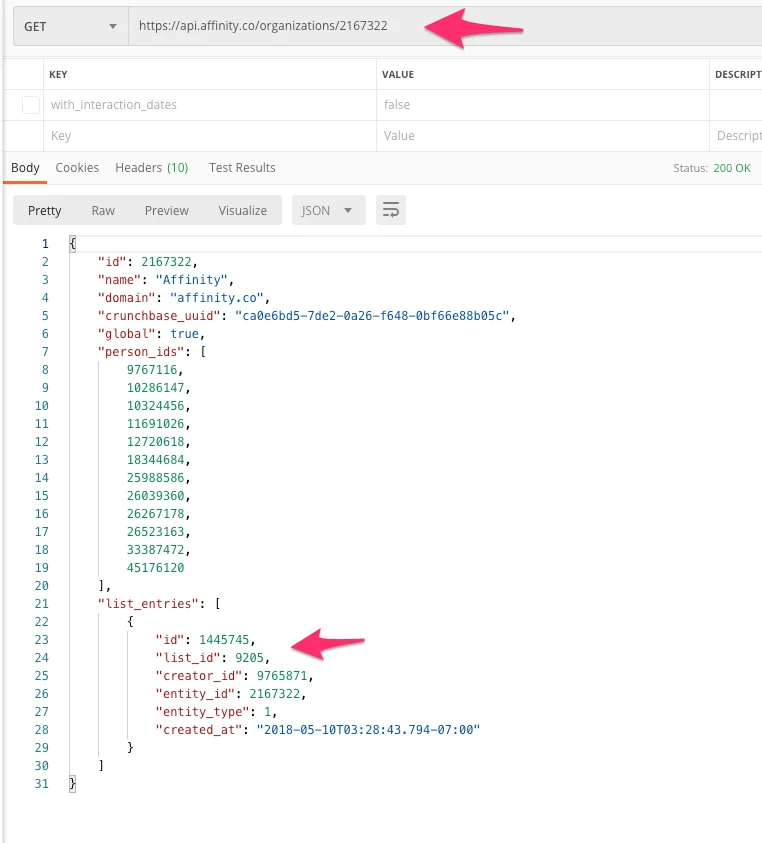
- The organization is currently not in my desired list (
list_id: 9011). I will now add Affinity as an entry to my “Deals” list.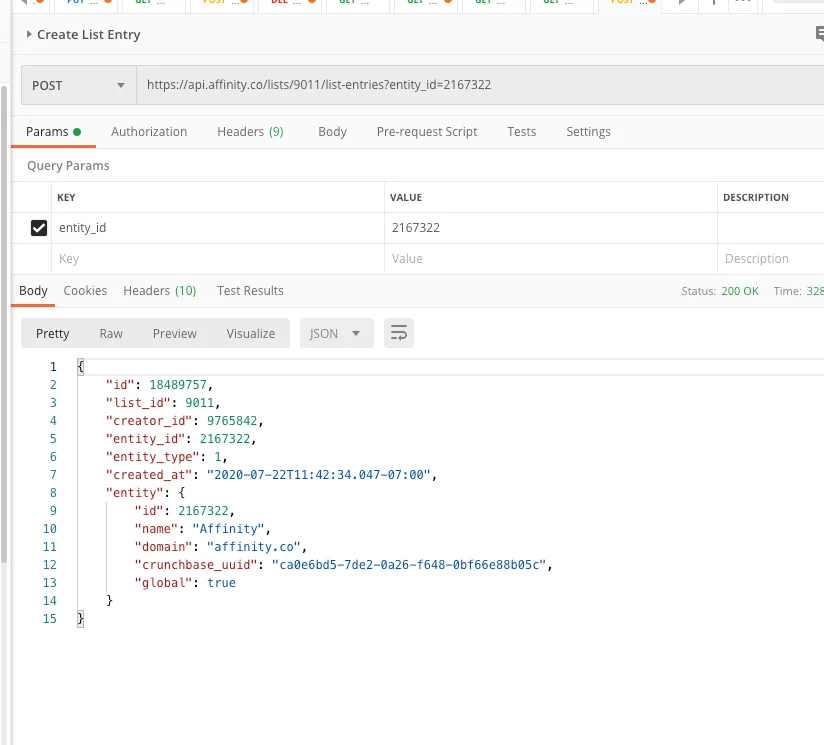
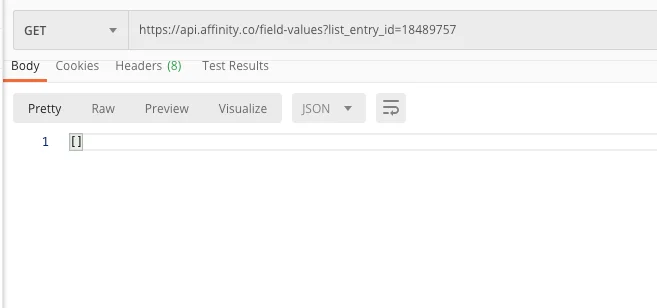
- We can see that there is no default status option set for Affinity (affinity.co).
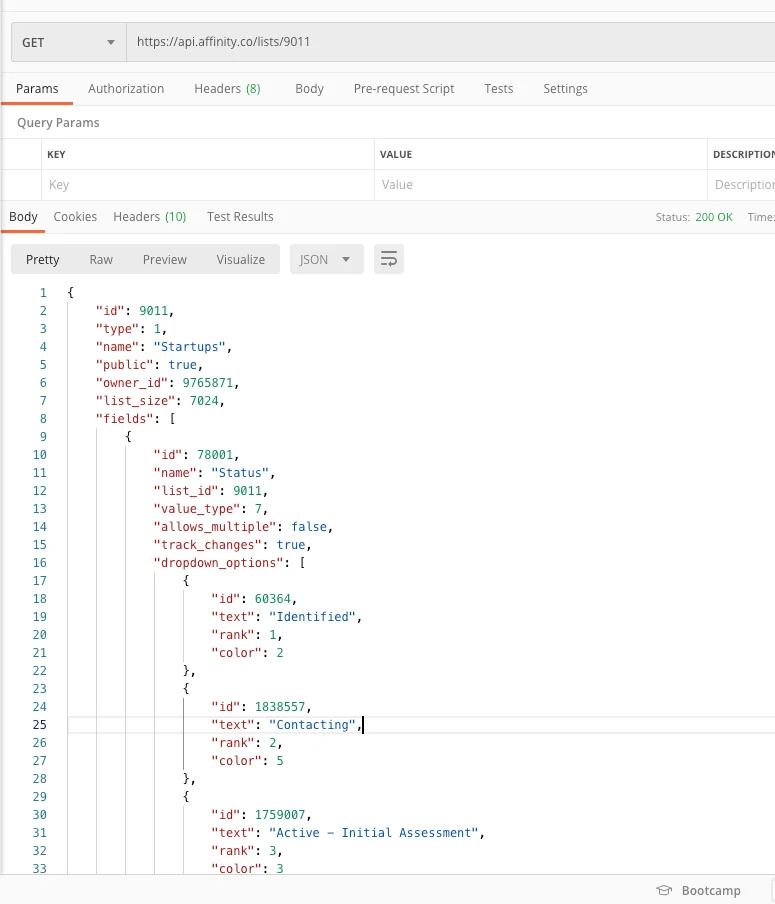
- Search the available statuses for this list. The status we want is “Identified”, or id: 60364.
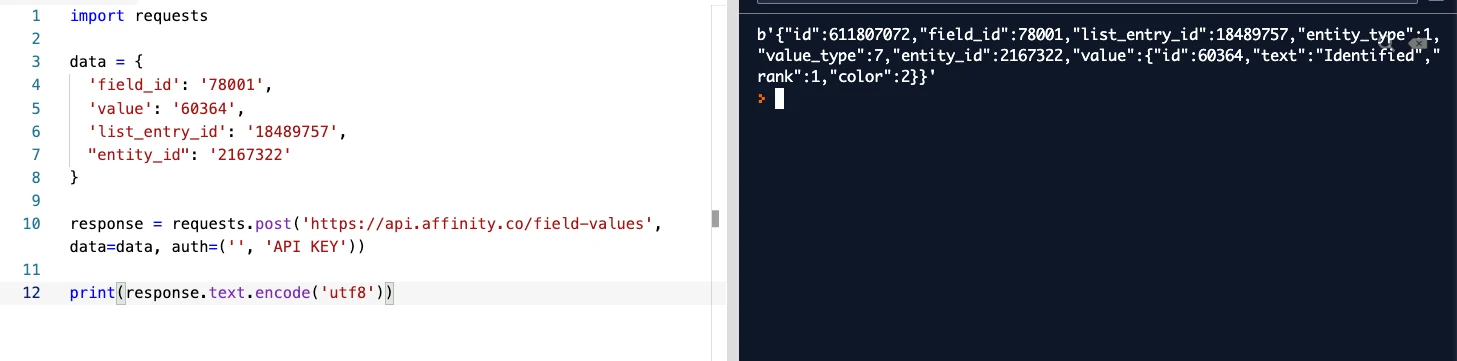
- Now, we can associate Affinity (affinity.co) with the status option “Identified” on the “Deals” list. We’ll post this last part in Python (most commonly used).