How-to — task-oriented recipe.
For Outlook users on Windows
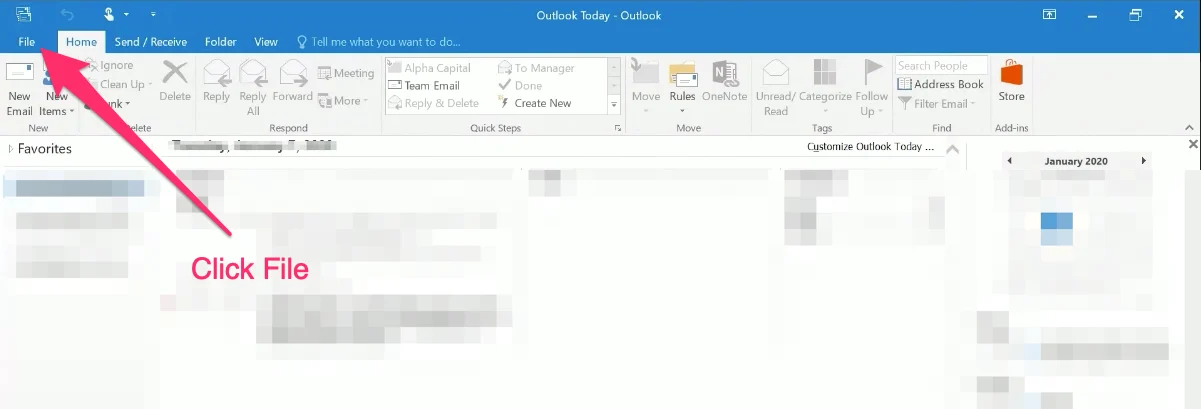
- Open Outlook, then click File on the top-left corner.
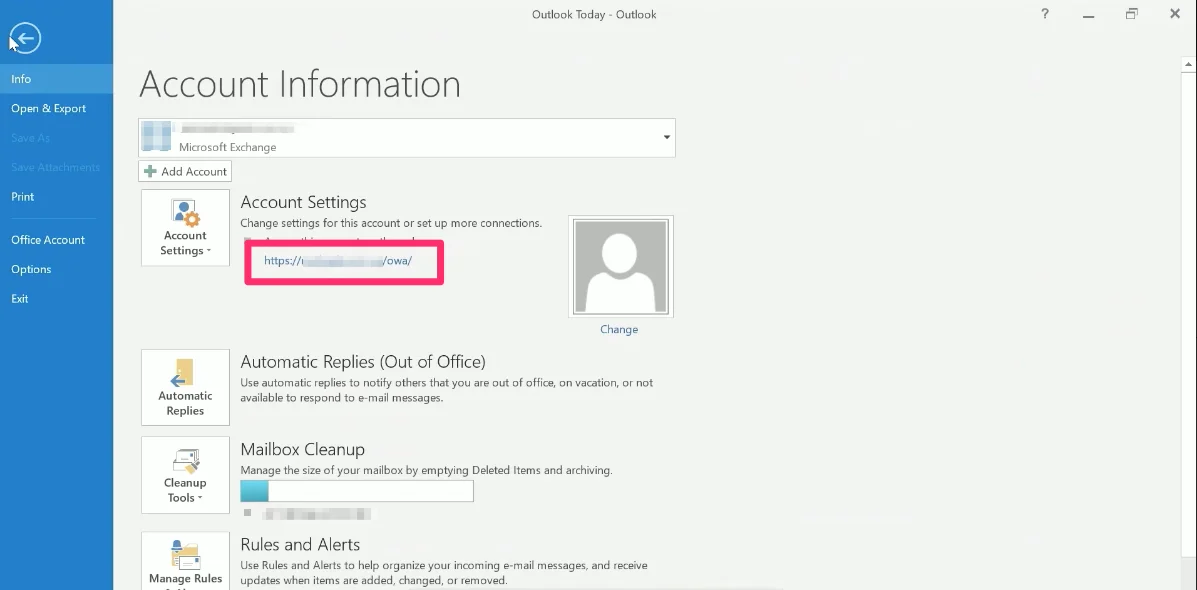
- Under Account Settings, this will indicate your email server’s address.
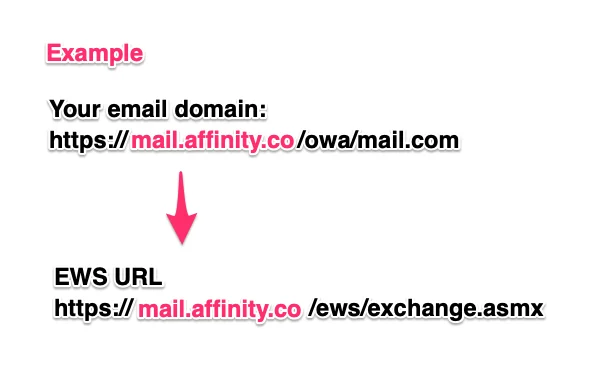
- For example, if you see https://mail.affinity.co/owa/mail.com in the result above. Your EWS URL would be https://mail.affinity.co/ews/exchange.asmx.
For Outlook users on Mac
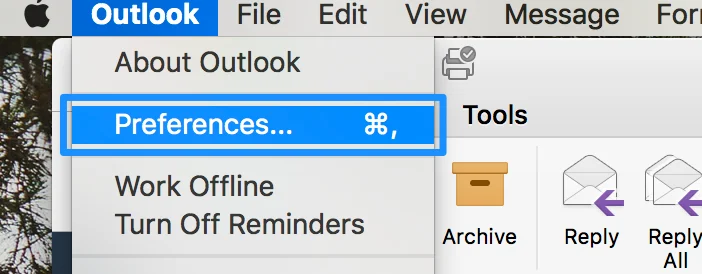
- Click on Outlook on the top navigation bar, then click Preferences.
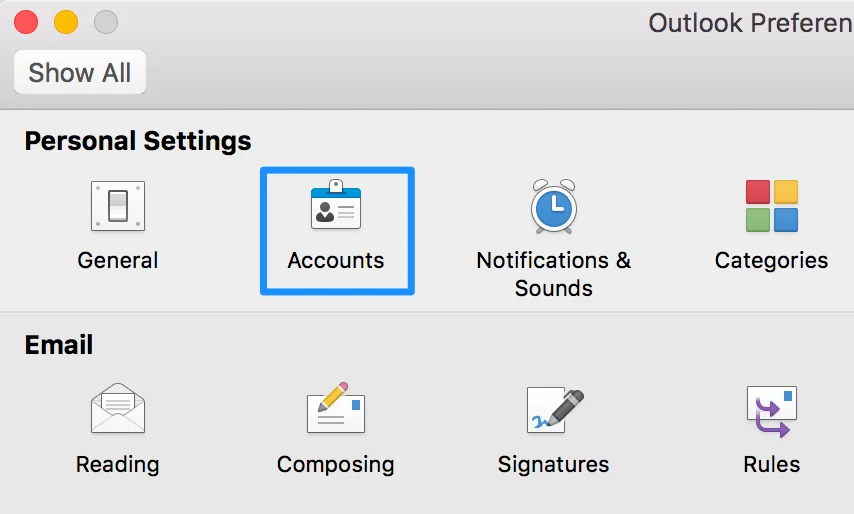
- Click on Accounts.
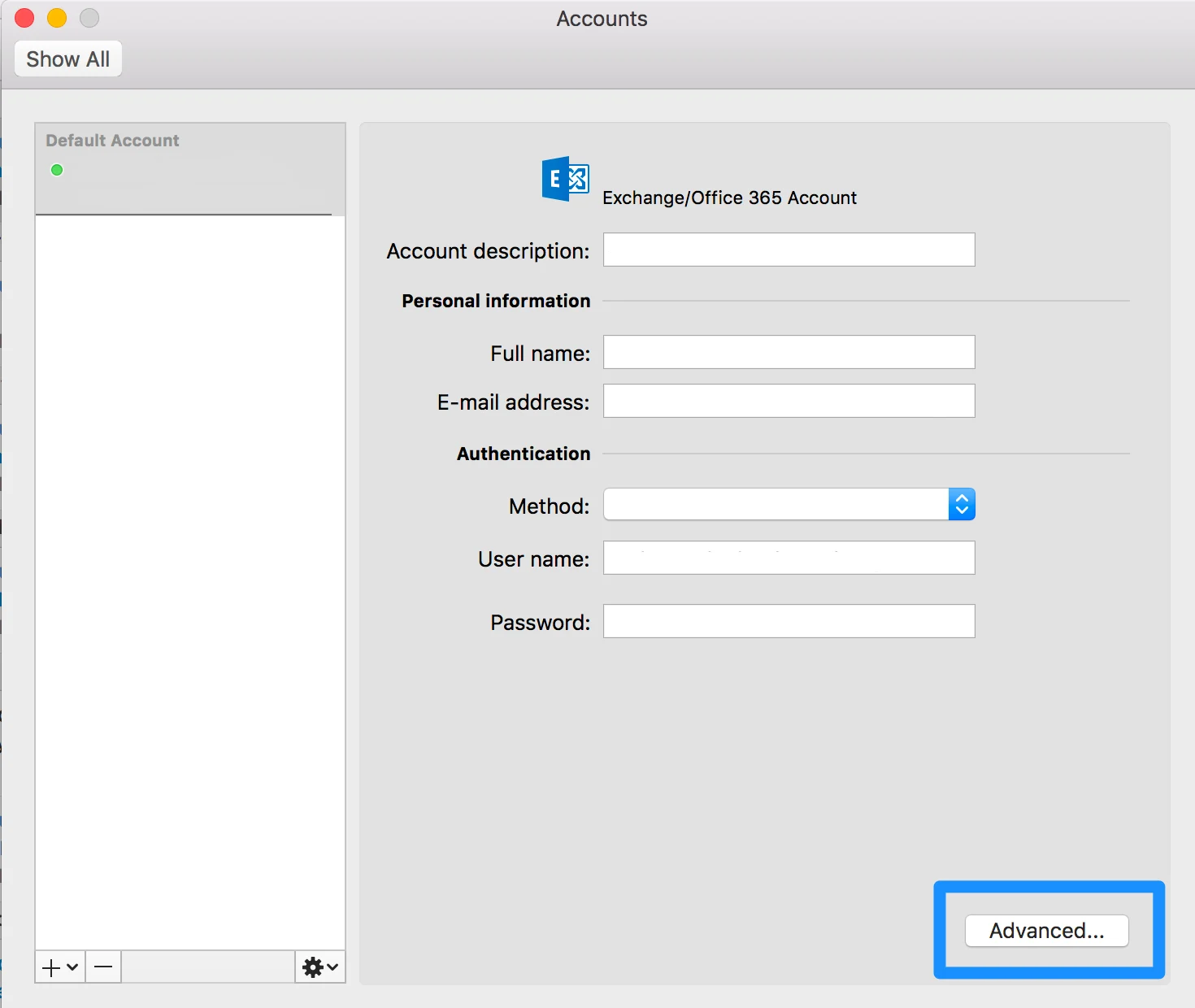
- Click on Advanced.
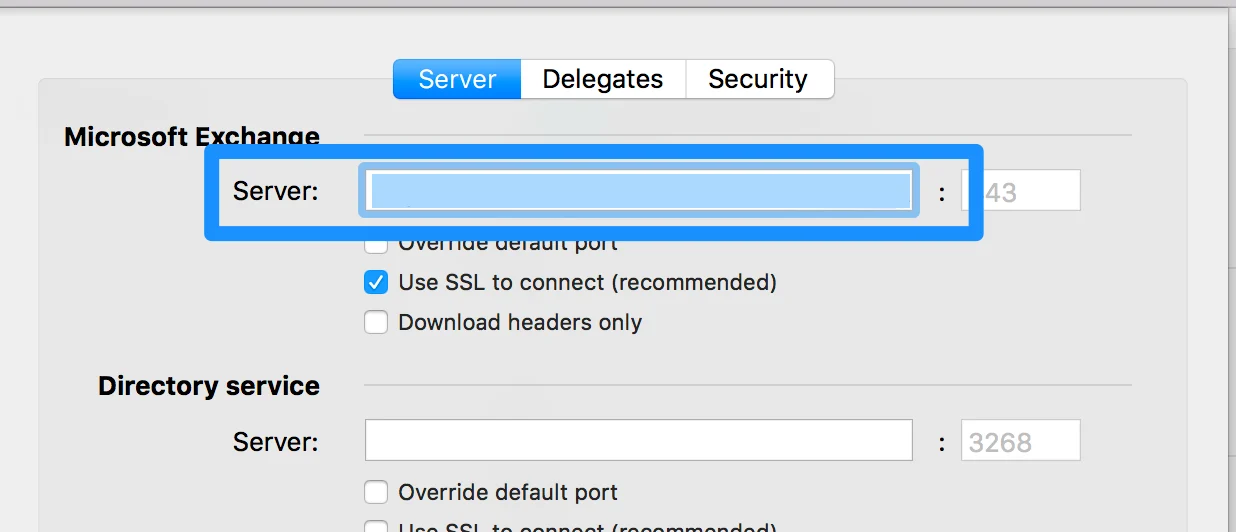
- The Server URL will be found under Microsoft Exchange > Server.
For other mail application users
- Click Options, then click All Options.
- Click Account, then click My Account.
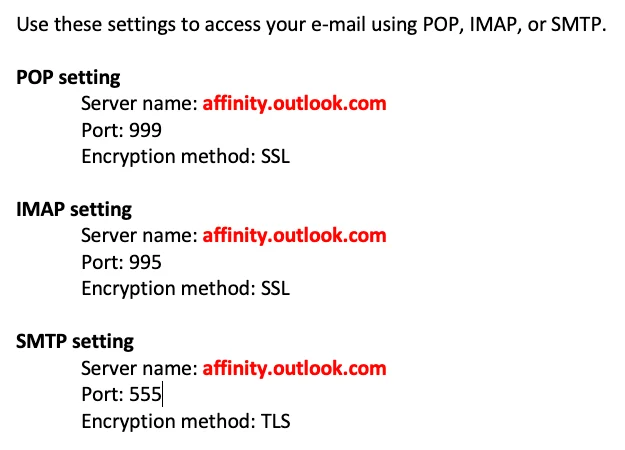
- With the Server name that is outlined in red, your custom EWS URL will look something like:
- In this case, the custom EWS URL would be: