> ## Documentation Index
> Fetch the complete documentation index at: https://support.affinity.co/llms.txt
> Use this file to discover all available pages before exploring further.
# How To Sign In With Microsoft Exchange On Premise
> Help center reference
**How-to** — task-oriented recipe.
Sign into Affinity with Microsoft Exchange if you're using an On-Premise Exchange account.
## How to sign in with Microsoft Exchange (On-Premise)
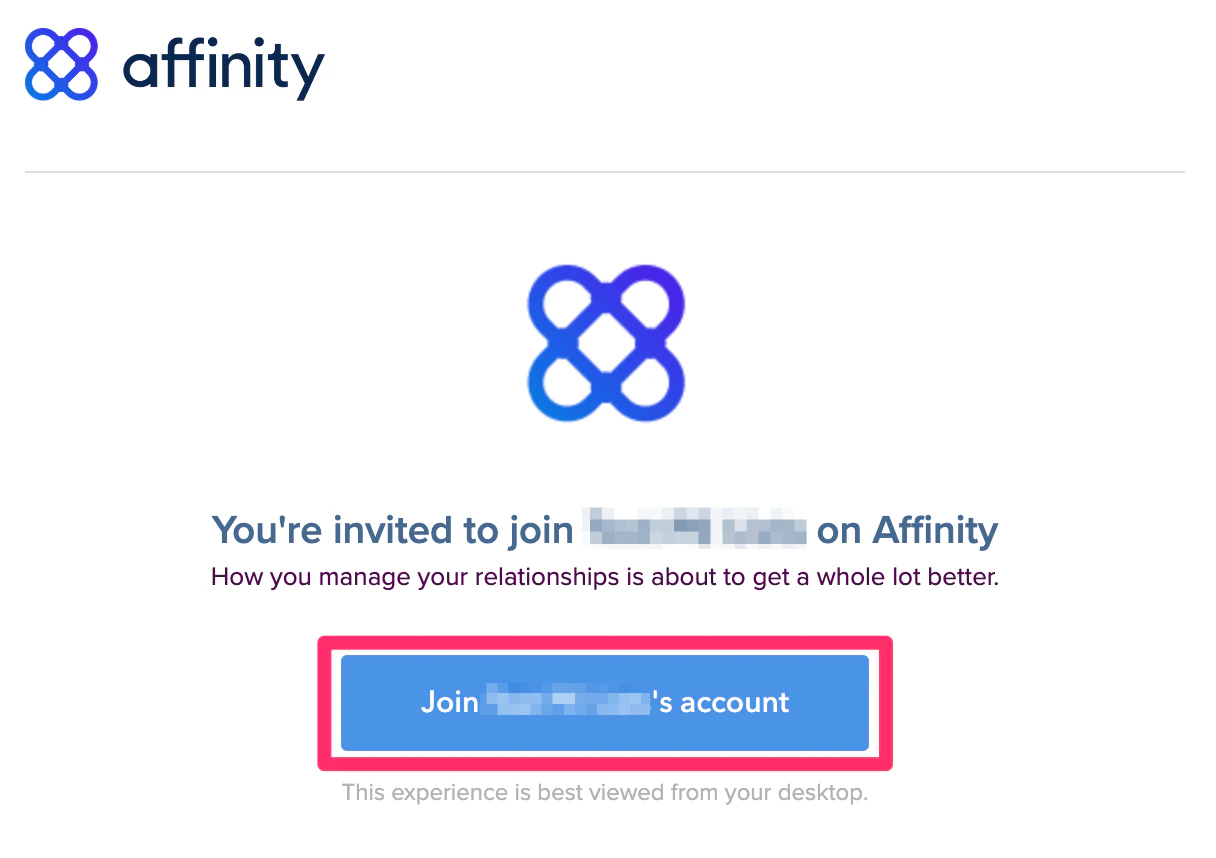
1. If you're signing in for the first time, please sign in via the email invite that was sent to your inbox. **Already signed in before?** Type in "https\://**\[subdomain]**.[affinity.co](http://affinity.co/)" on your web browser (see [How to find your Affinity subdomain](/s/article/How-to-find-your-Affinity-subdomain)).
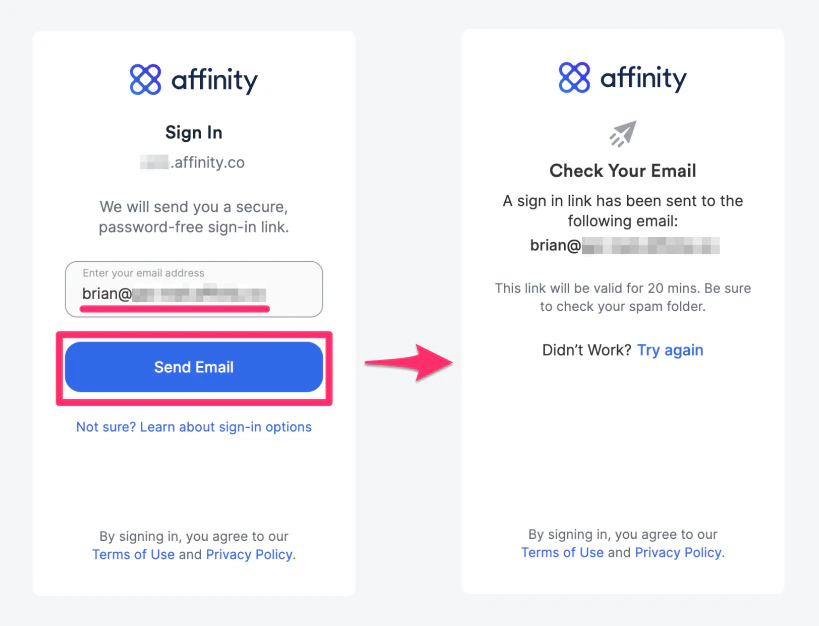
 2. Enter your email address, then click **Send Email** to receive your unique sign in link.
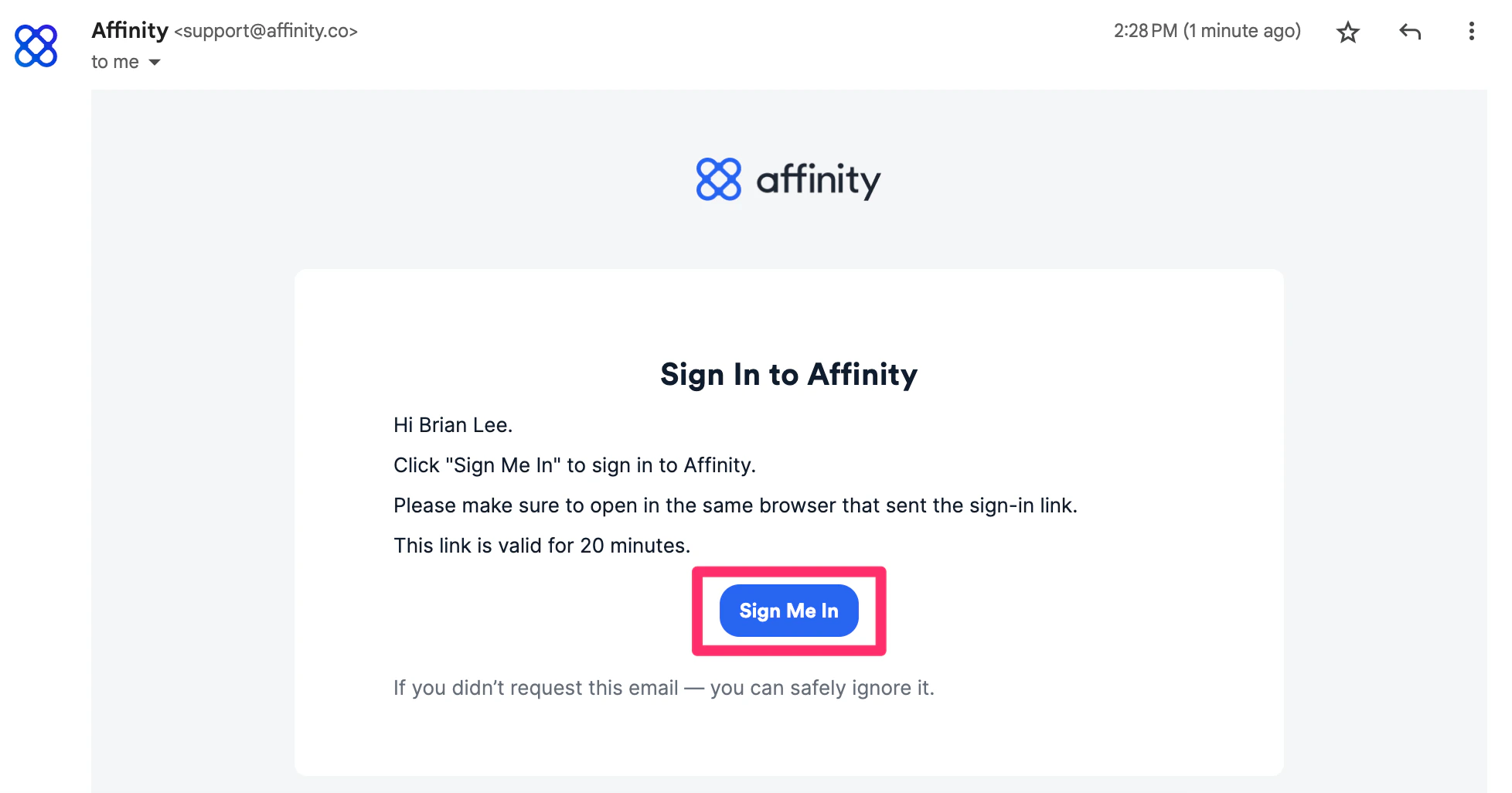
 3. Click into the email that Affinity just sent you, then click **Sign Me In**.
 4. Then, fill in these four fields on the new window that appears:
1. Exchange email address
2. Exchange password
3. Username (also known as EWS username). If you don't have an EWS username, then leave this field blank.
4. Your custom EWS URL (see [How to find your custom EWS URL](/s/article/How-to-find-your-custom-EWS-URL)).
5. If you come across any error messages while attempting to sign in, feel free to take a screenshot and send it to [support@affinity.co](mailto:support@affinity.co).
## Important Callouts
* If you do not use 2-Factor Authentication (2FA) or single sign-on (SSO), then you can sign in using your Exchange email address and password.
* If you are using 2FA or SSO, please see [Troubleshooting sign in for Microsoft Exchange (On-Premise)](/s/article/Troubleshooting-sign-in-for-Microsoft-Exchange-On-Premise).
* For first-time users who sign in successfully, please follow these steps to ensure that your Exchange email account is syncing successfully:
* Click on **Settings**.
4. Then, fill in these four fields on the new window that appears:
1. Exchange email address
2. Exchange password
3. Username (also known as EWS username). If you don't have an EWS username, then leave this field blank.
4. Your custom EWS URL (see [How to find your custom EWS URL](/s/article/How-to-find-your-custom-EWS-URL)).
5. If you come across any error messages while attempting to sign in, feel free to take a screenshot and send it to [support@affinity.co](mailto:support@affinity.co).
## Important Callouts
* If you do not use 2-Factor Authentication (2FA) or single sign-on (SSO), then you can sign in using your Exchange email address and password.
* If you are using 2FA or SSO, please see [Troubleshooting sign in for Microsoft Exchange (On-Premise)](/s/article/Troubleshooting-sign-in-for-Microsoft-Exchange-On-Premise).
* For first-time users who sign in successfully, please follow these steps to ensure that your Exchange email account is syncing successfully:
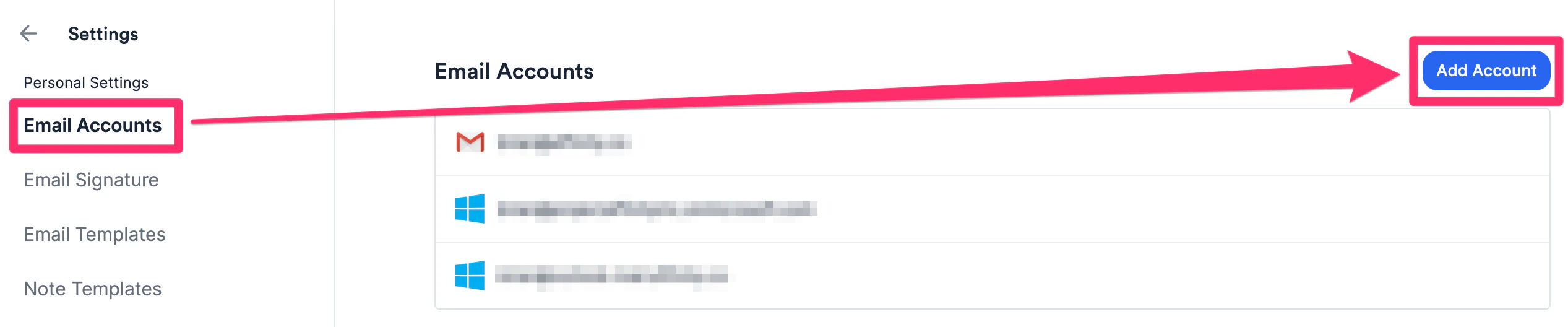
* Click on **Settings**.
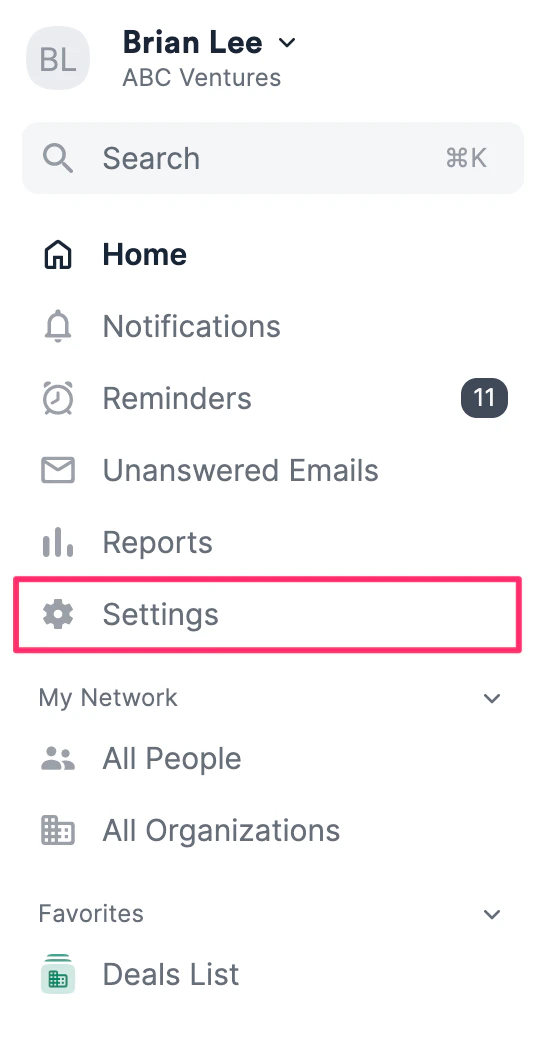 * Then, click the **Email Accounts** tab and click **Add Account**.
 * Sign in with the exact same credentials one more time to ensure that Affinity starts syncing your email/calendar data.
## Related topics
- [Troubleshooting Sign In For Microsoft Exchange On Premise](/s/article/Troubleshooting-sign-in-for-Microsoft-Exchange-On-Premise.md)
- [How To Invite Others To Join Affinity Alliances](/s/article/How-to-invite-others-to-join-Affinity-Alliances.md)
- [Getting started with Affinity Alliances](/s/article/Getting-started-with-Affinity-Alliances.md)
- [How To Sign In With Microsoft Office 365](/s/article/How-to-sign-in-with-Microsoft-Office-365.md)
- [Can You Sign Into Affinity With A Custom Password](/s/article/Can-you-sign-into-Affinity-with-a-custom-password.md)
* Sign in with the exact same credentials one more time to ensure that Affinity starts syncing your email/calendar data.
## Related topics
- [Troubleshooting Sign In For Microsoft Exchange On Premise](/s/article/Troubleshooting-sign-in-for-Microsoft-Exchange-On-Premise.md)
- [How To Invite Others To Join Affinity Alliances](/s/article/How-to-invite-others-to-join-Affinity-Alliances.md)
- [Getting started with Affinity Alliances](/s/article/Getting-started-with-Affinity-Alliances.md)
- [How To Sign In With Microsoft Office 365](/s/article/How-to-sign-in-with-Microsoft-Office-365.md)
- [Can You Sign Into Affinity With A Custom Password](/s/article/Can-you-sign-into-Affinity-with-a-custom-password.md)