> ## Documentation Index
> Fetch the complete documentation index at: https://support.affinity.co/llms.txt
> Use this file to discover all available pages before exploring further.
# How To Find Your Custom EWS URL
> Help center reference: How To Find Your Custom EWS URL
**How-to** — task-oriented recipe.
If you use Microsoft Exchange (On-Premise) and not Office 365, you will need to update your account to include your EWS URL. After you have located your EWS URL, please send it over to [support@affinity.co](mailto:support@affinity.co) so that we can help you get signed in.
**Note**: If your EWS URL begins with "[office.office365.com](http://office.office365.com/)," then you are on Office 365.
## For Outlook users on Windows
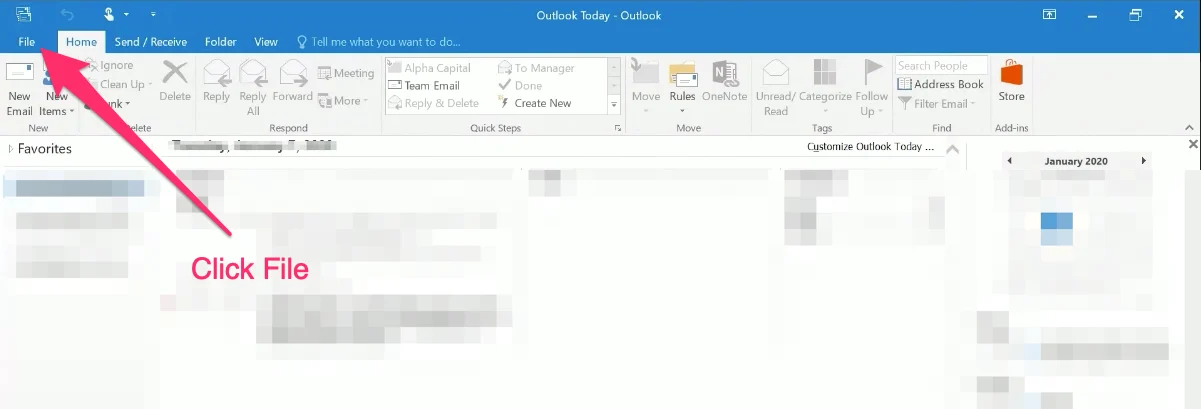
1. Open **Outlook**, then click **File** on the top-left corner.
 2. Under Account Settings, this will indicate your email server's address.
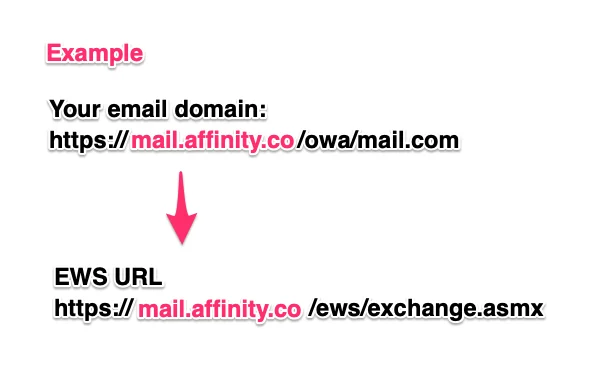
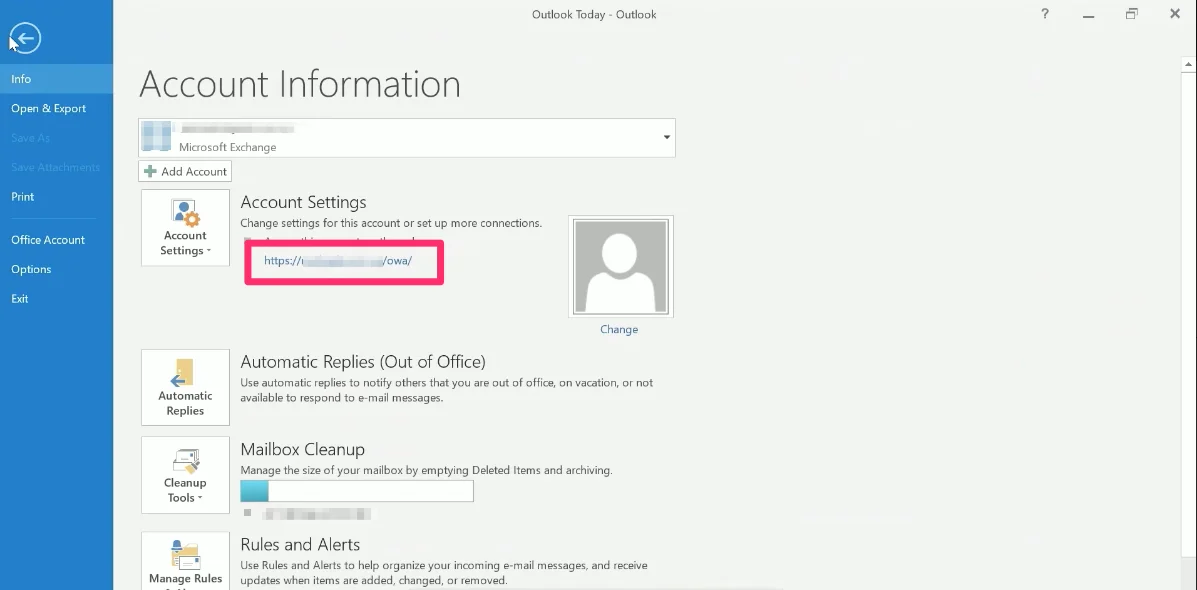 3. For example, if you see [https://mail.affinity.co/owa/mail.com](https://mail.affinity.co/owa/mail.com) in the result above. Your EWS URL would be [https://mail.affinity.co/ews/exchange.asmx](https://mail.affinity.co/ews/exchange.asmx).
 ## For Outlook users on Mac
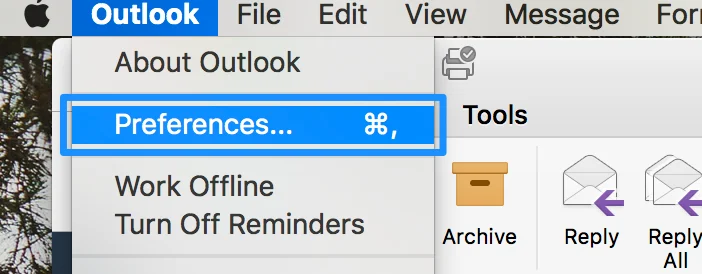
1. Click on **Outlook** on the top navigation bar, then click **Preferences**.
## For Outlook users on Mac
1. Click on **Outlook** on the top navigation bar, then click **Preferences**.
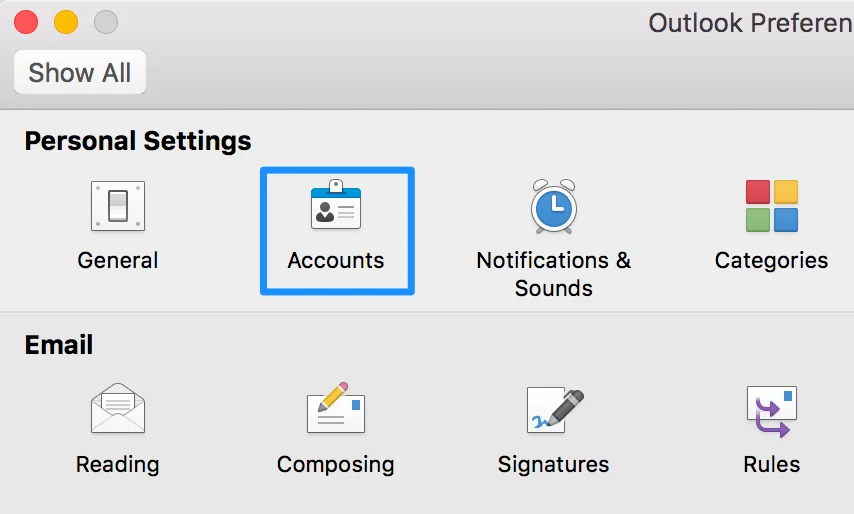
 2. Click on **Accounts**.
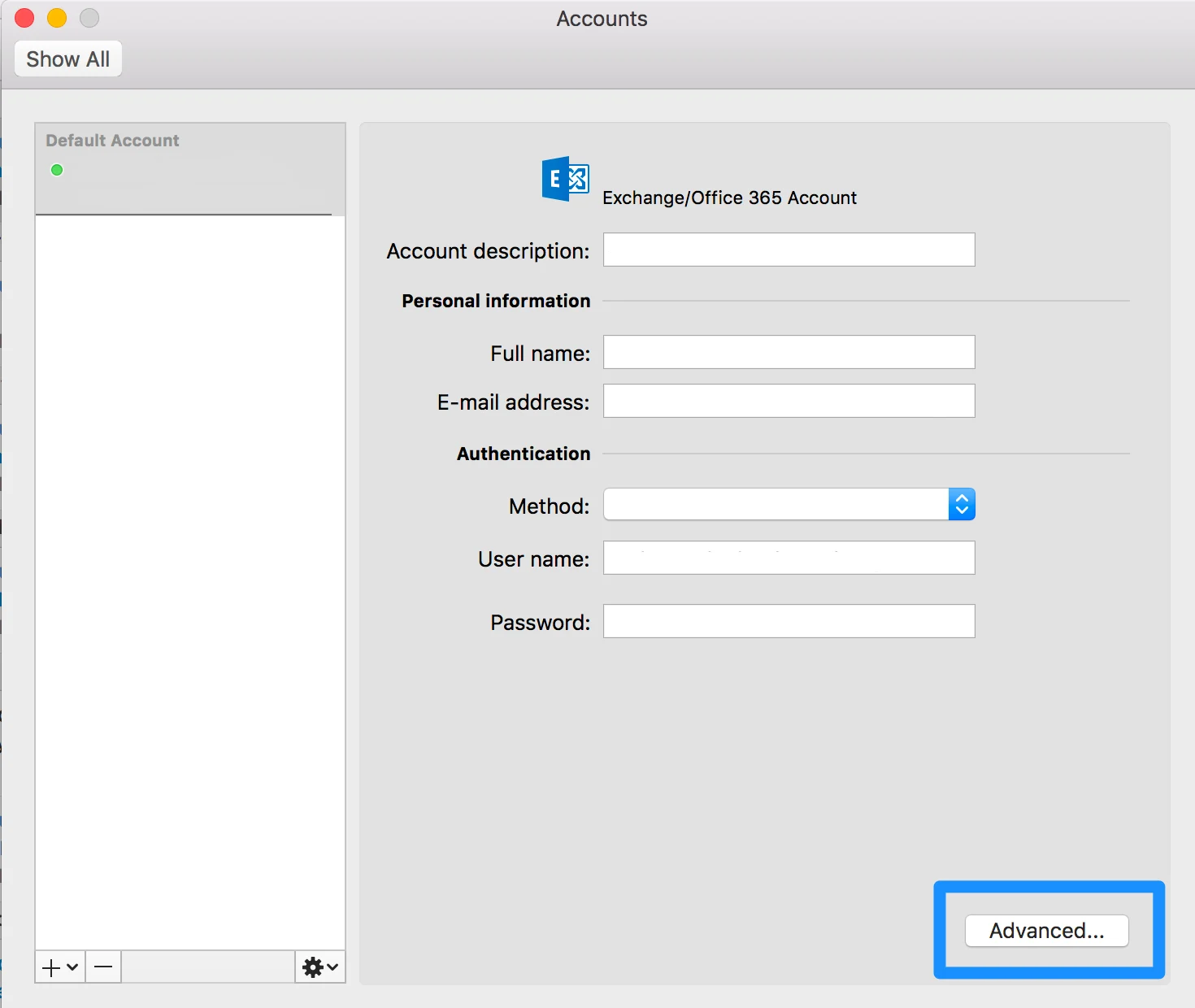
 3. Click on **Advanced**.
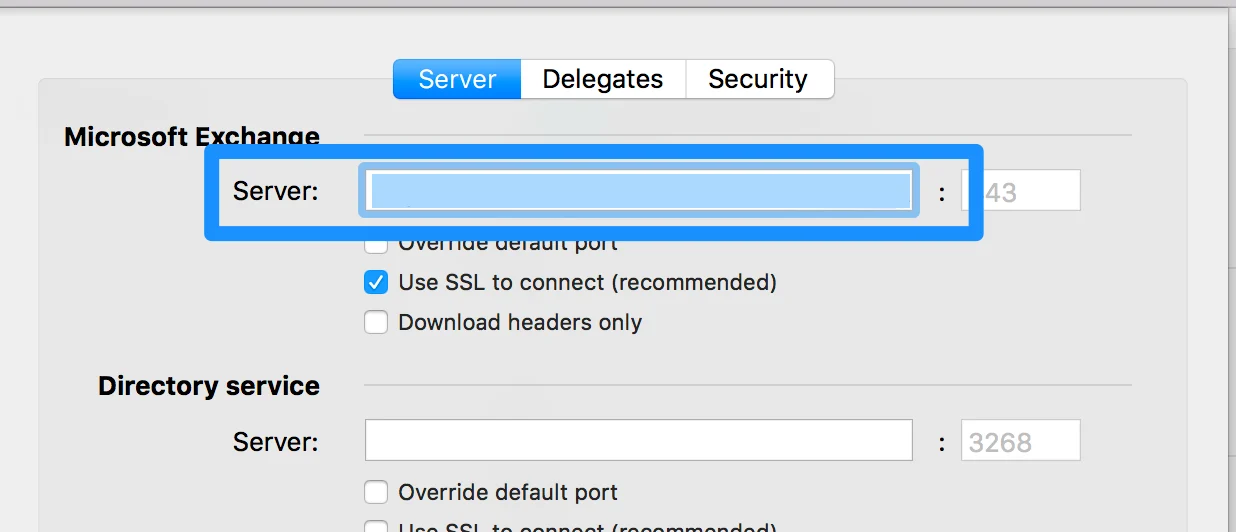
 4. The Server URL will be found under Microsoft Exchange > Server.
 ## For other mail application users
1. Click **Options**, then click **All Options**.
2. Click **Account**, then click **My Account**.
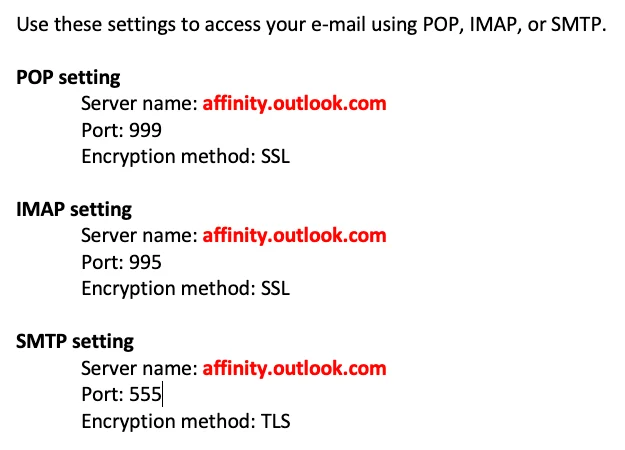
3. With the **Server name** that is outlined in red, your custom EWS URL will look something like:
```text theme={null}
https://Servername/EWS/Exchange.asmx
```
4. In this case, the custom EWS URL would be:
## For other mail application users
1. Click **Options**, then click **All Options**.
2. Click **Account**, then click **My Account**.
3. With the **Server name** that is outlined in red, your custom EWS URL will look something like:
```text theme={null}
https://Servername/EWS/Exchange.asmx
```
4. In this case, the custom EWS URL would be:
 ```text theme={null}
https://affinity.outlook.com/EWS/Exchange.asmx
```
## Related topics
- [Troubleshooting Sign In For Microsoft Exchange On Premise](/s/article/Troubleshooting-sign-in-for-Microsoft-Exchange-On-Premise.md)
- [How To Sign In With Microsoft Exchange On Premise](/s/article/How-to-sign-in-with-Microsoft-Exchange-On-Premise.md)
- [How To Invite Others To Join Affinity Alliances](/s/article/How-to-invite-others-to-join-Affinity-Alliances.md)
- [Getting started with Affinity Alliances](/s/article/Getting-started-with-Affinity-Alliances.md)
- [How To Sign Into Affinity](/s/article/How-to-sign-into-Affinity.md)
```text theme={null}
https://affinity.outlook.com/EWS/Exchange.asmx
```
## Related topics
- [Troubleshooting Sign In For Microsoft Exchange On Premise](/s/article/Troubleshooting-sign-in-for-Microsoft-Exchange-On-Premise.md)
- [How To Sign In With Microsoft Exchange On Premise](/s/article/How-to-sign-in-with-Microsoft-Exchange-On-Premise.md)
- [How To Invite Others To Join Affinity Alliances](/s/article/How-to-invite-others-to-join-Affinity-Alliances.md)
- [Getting started with Affinity Alliances](/s/article/Getting-started-with-Affinity-Alliances.md)
- [How To Sign Into Affinity](/s/article/How-to-sign-into-Affinity.md)