> ## Documentation Index
> Fetch the complete documentation index at: https://support.affinity.co/llms.txt
> Use this file to discover all available pages before exploring further.
# How To Duplicate Tiles And Dashboard Views In Affinity
> Help center reference
**How-to** — task-oriented recipe.
Save time when creating your dashboards by duplicating tiles or entire dashboard views instead of recreating them one by one. **Important Callouts**
* Affinity Analytics is only available to those on the **Scale**, **Advanced**, and **Enterprise** tiers. To learn more, see [Getting started with Affinity Analytics](/s/article/Getting-started-with-Affinity-Analytics).
* Only those with the **Creator** role for Affinity Analytics can duplicate tiles or entire dashboard views. If you are assigned the **Viewer** role, you can ask someone with the **Creator** role to take action on your behalf.
## How do I know if I'm a Creator or a Viewer for Affinity Analytics?
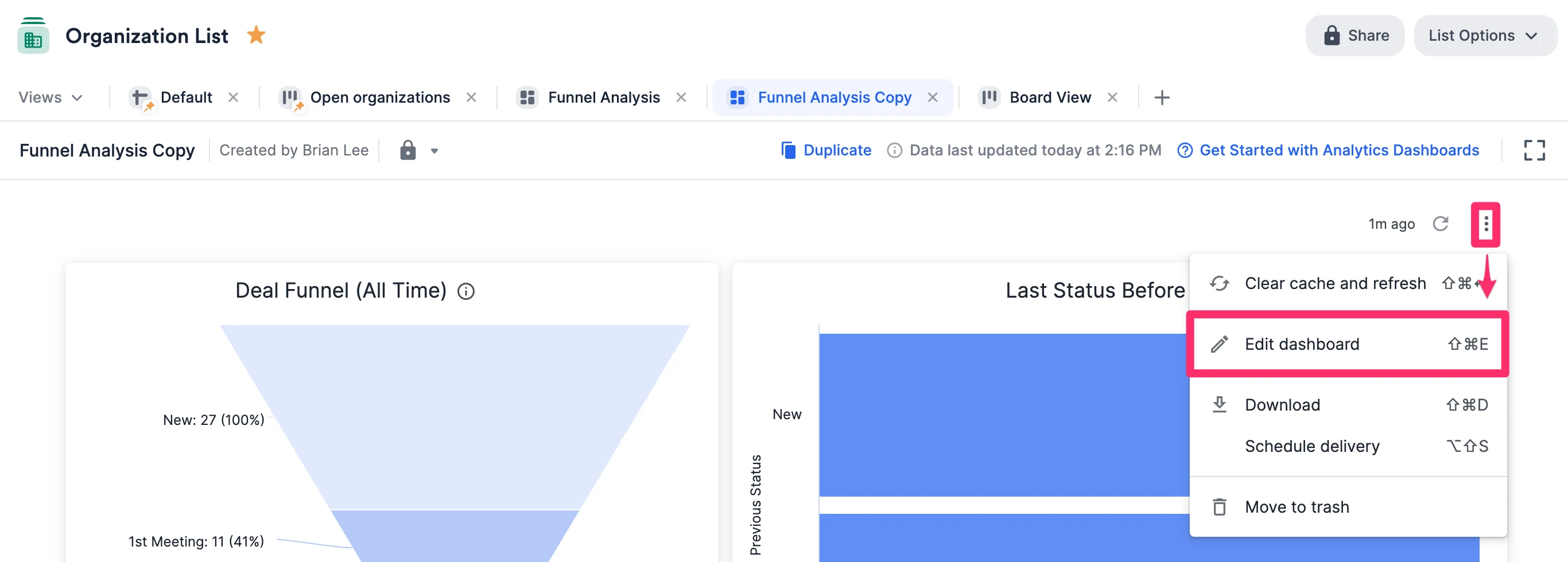
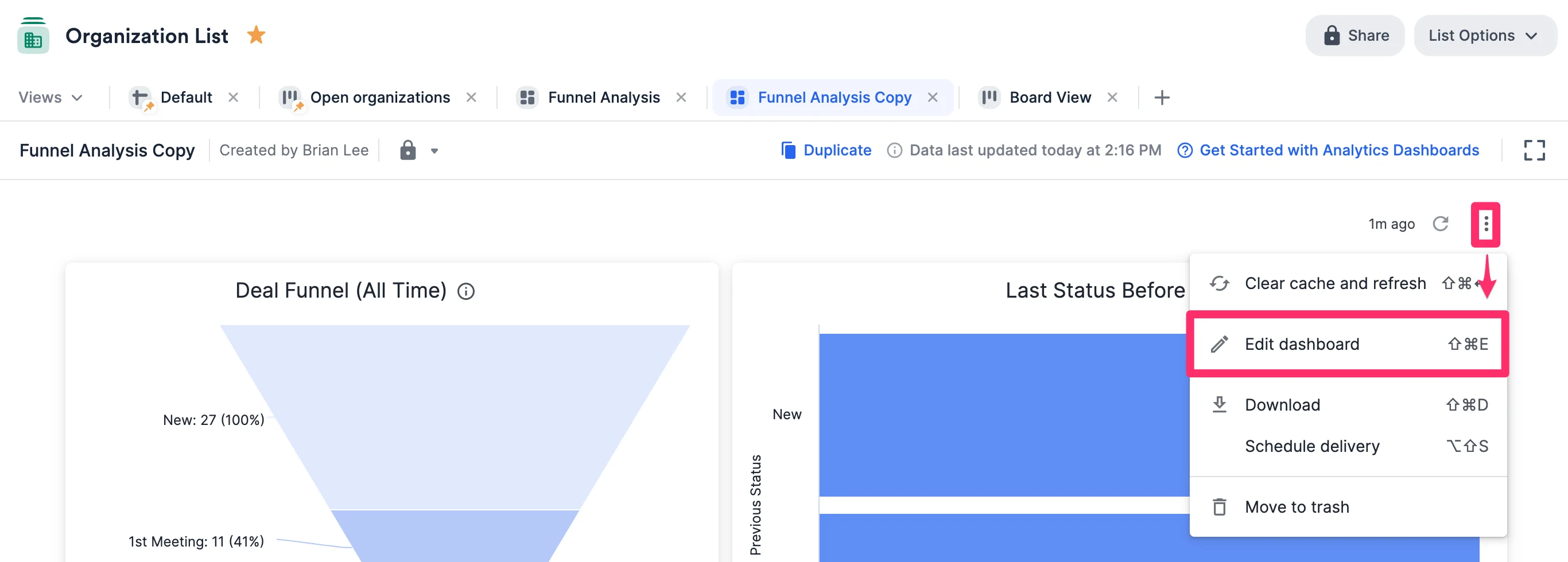
Creators will see the **Edit dashboard** option when clicking on the **ellipsis (3 dotted icon)** in the top-right corner of a dashboard view, while Viewers will not.
 ## How to duplicate tiles within a dashboard view (for Creators only)
1. Click on the specific dashboard view that contains the tile you'd like to duplicate (e.g. the dashboard view titled "Funnel Analysis" - see Step 2 below).
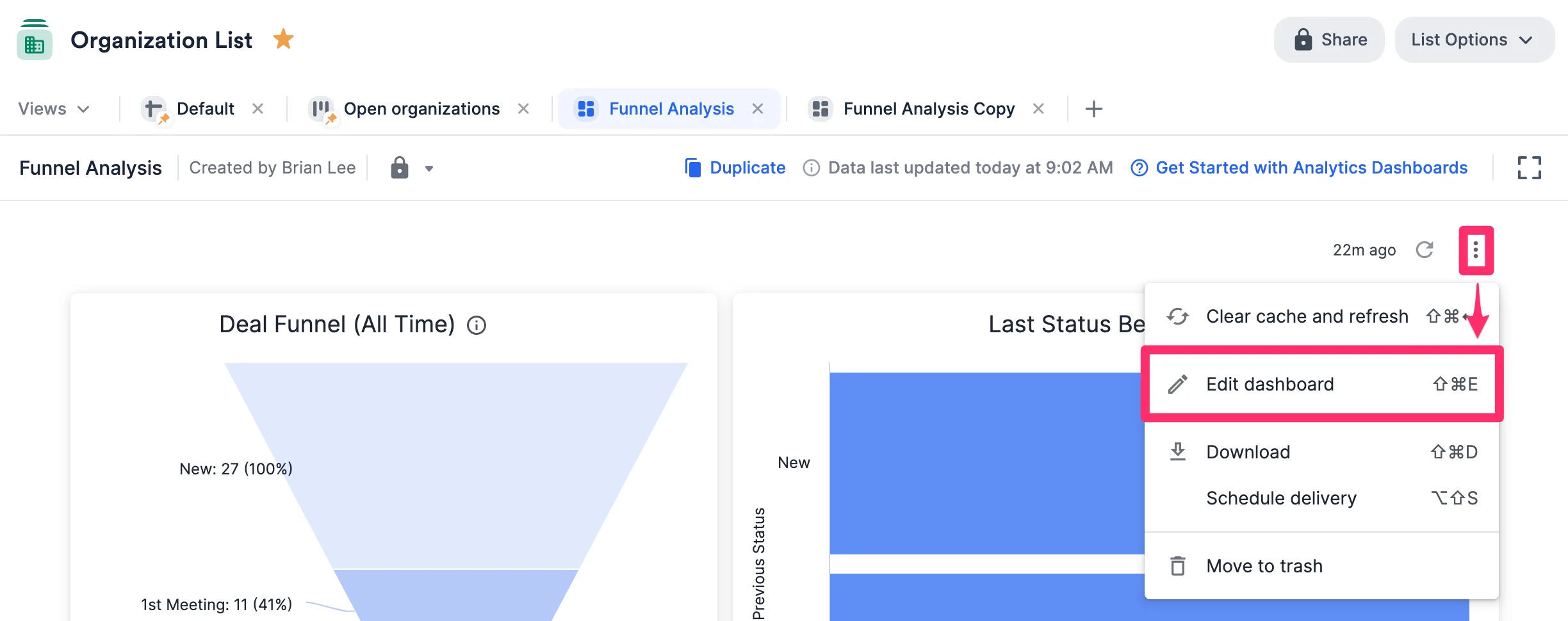
2. From there, click the **ellipsis (3 dotted icon)** in the top-right corner, then click **Edit dashboard**.
## How to duplicate tiles within a dashboard view (for Creators only)
1. Click on the specific dashboard view that contains the tile you'd like to duplicate (e.g. the dashboard view titled "Funnel Analysis" - see Step 2 below).
2. From there, click the **ellipsis (3 dotted icon)** in the top-right corner, then click **Edit dashboard**.
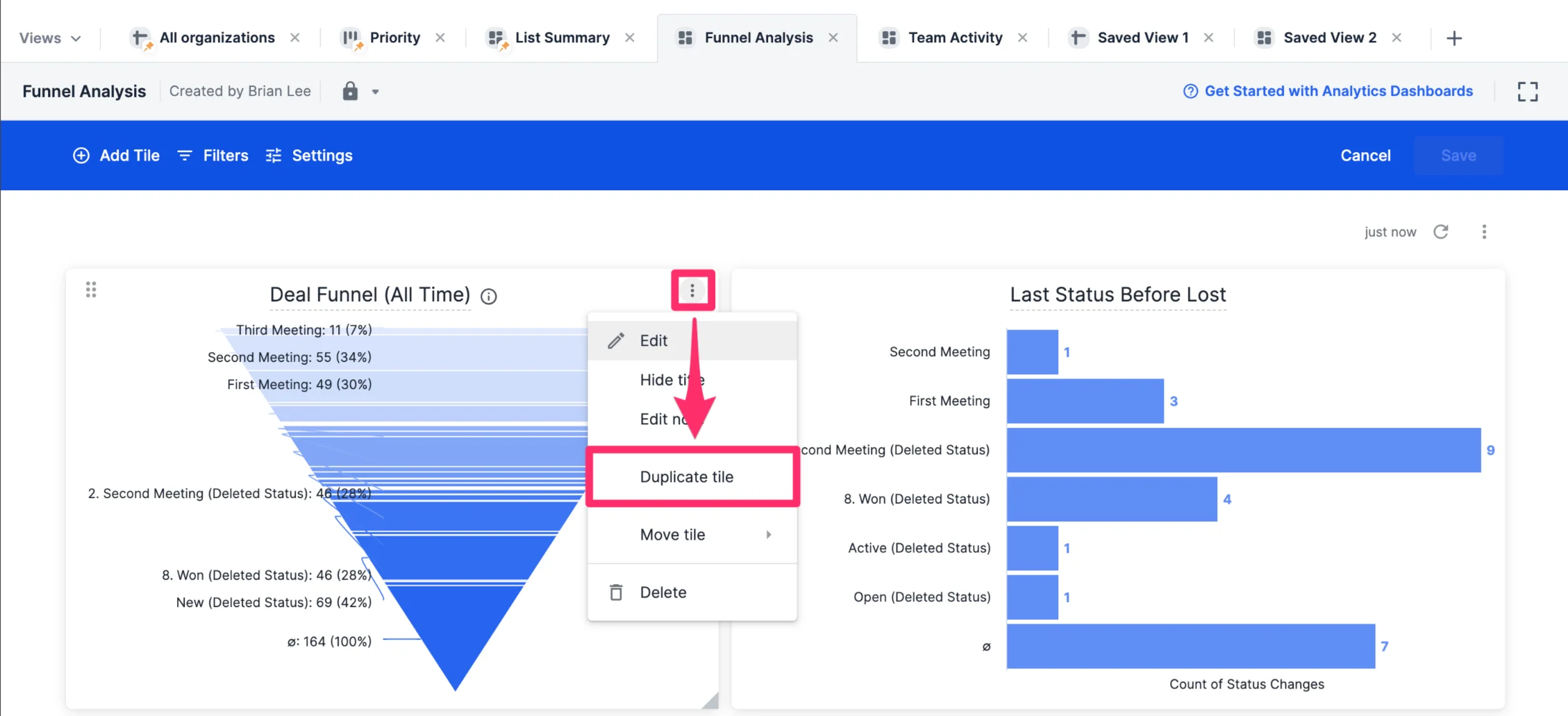
 3. Click the **ellipsis (3 dotted icon)** within the specific tile you'd like to duplicate, then click **Duplicate tile**.
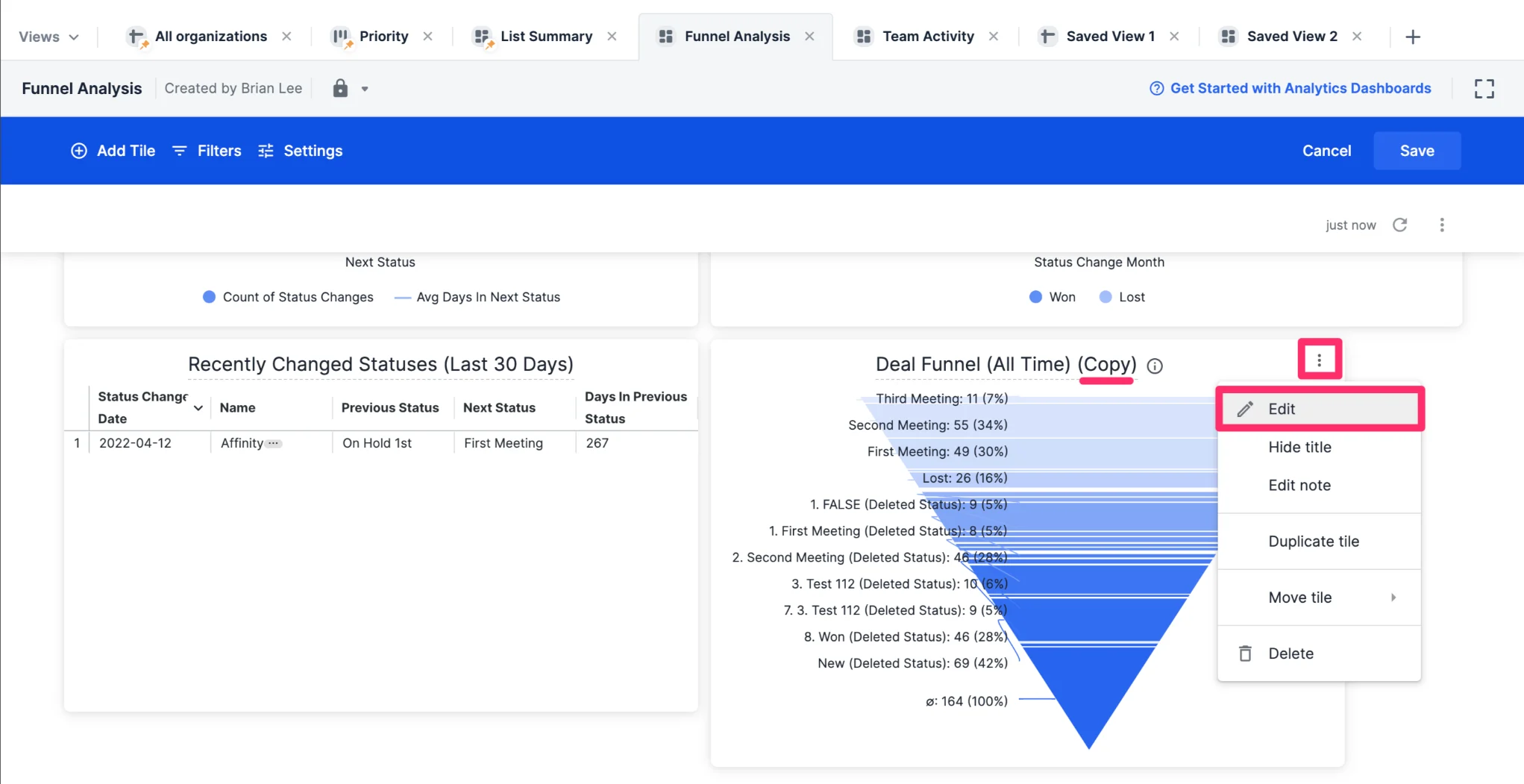
 4. You'll see the duplicated tile at the bottom. From here, you can click the **ellipsis (3 dotted icon)** again and click **Edit** to make changes to the duplicated tile.
 ## How to duplicate an entire dashboard view (for Creators only)
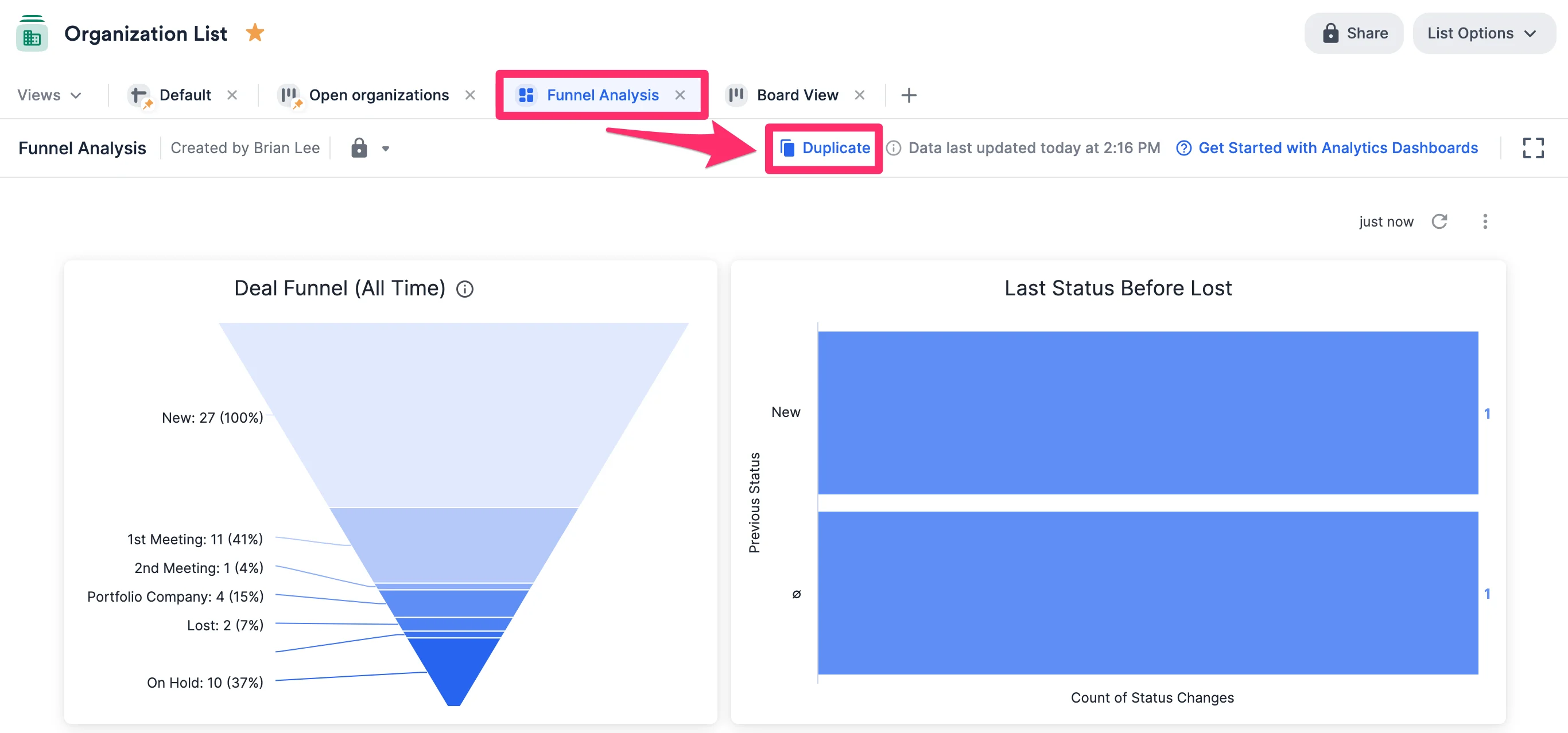
1. Click on the specific dashboard view that you'd like to duplicate (e.g. the dashboard view titled "Funnel Analysis"). From there, simply click **Duplicate**.
## How to duplicate an entire dashboard view (for Creators only)
1. Click on the specific dashboard view that you'd like to duplicate (e.g. the dashboard view titled "Funnel Analysis"). From there, simply click **Duplicate**.
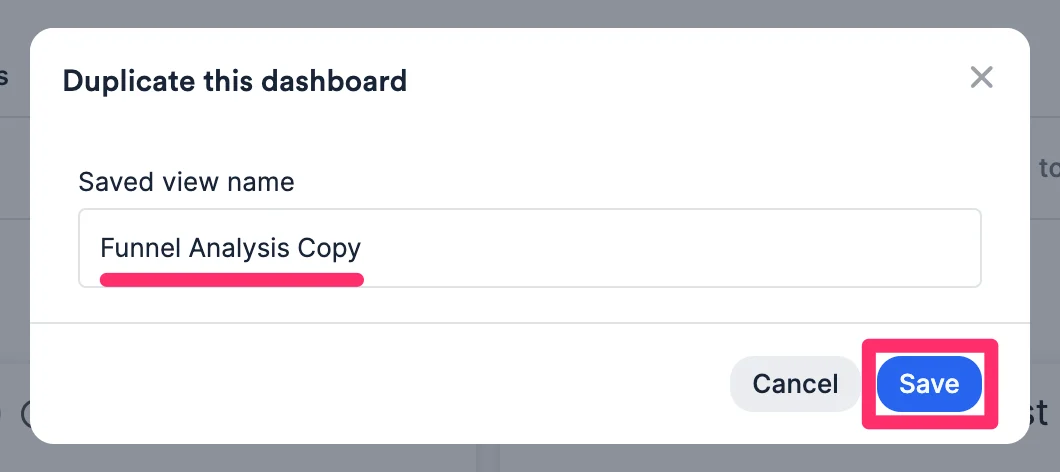
 2. Type in a name for the new dashboard view, then click **Save**. While all underlying data and visualizations will carry over, any [alerts](/s/article/How-to-set-up-automated-alerts-for-Affinity-Analytics) and [scheduled deliveries](/s/article/How-to-export-dashboard-views) set up for the original dashboard view will **not** carry over to the new dashboard view.
 3. On the new dashboard view, click the **ellipsis (3 dotted icon)** in the top-right corner, then click **Edit dashboard** to start making changes.
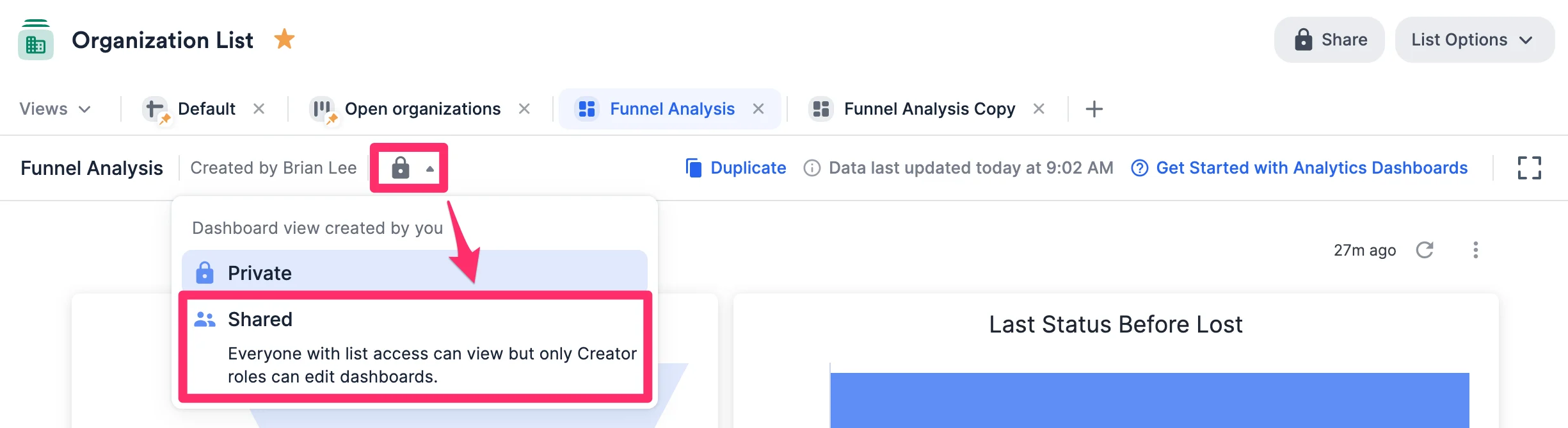
 4. Once you're done with making changes, you can choose to either keep the dashboard view to yourself or share it with team members who already have access to the list it is in.
**Note**: If shared with everyone who has access to the list, only those with the **Creator** role assigned to them will be able to edit the dashboard.
4. Once you're done with making changes, you can choose to either keep the dashboard view to yourself or share it with team members who already have access to the list it is in.
**Note**: If shared with everyone who has access to the list, only those with the **Creator** role assigned to them will be able to edit the dashboard.
 ## Related topics
- [How To Create And Edit Tiles In Dashboard Views](/s/article/How-to-create-and-edit-tiles-in-dashboard-views.md)
- [Getting Started With Affinity Analytics](/s/article/Getting-started-with-Affinity-Analytics.md)
- [How To Export Dashboard Views](/s/article/How-to-export-dashboard-views.md)
- [How To Apply Filters In Dashboard Views](/s/article/How-to-apply-filters-in-dashboard-views.md)
- [How To Create A Dashboard View](/s/article/How-to-create-a-dashboard-view.md)
## Related topics
- [How To Create And Edit Tiles In Dashboard Views](/s/article/How-to-create-and-edit-tiles-in-dashboard-views.md)
- [Getting Started With Affinity Analytics](/s/article/Getting-started-with-Affinity-Analytics.md)
- [How To Export Dashboard Views](/s/article/How-to-export-dashboard-views.md)
- [How To Apply Filters In Dashboard Views](/s/article/How-to-apply-filters-in-dashboard-views.md)
- [How To Create A Dashboard View](/s/article/How-to-create-a-dashboard-view.md)